
Prefilling customer details with existing customer record#
If you already hold information about your customer (the payer), you can provide this information before sending your customer through a Billing Request Flow. As a result of prefilling customer data, the customer will need to perform fewer steps to complete their payment flow. This leads to a more seamless experience with less friction for the customer and will result in higher conversion.
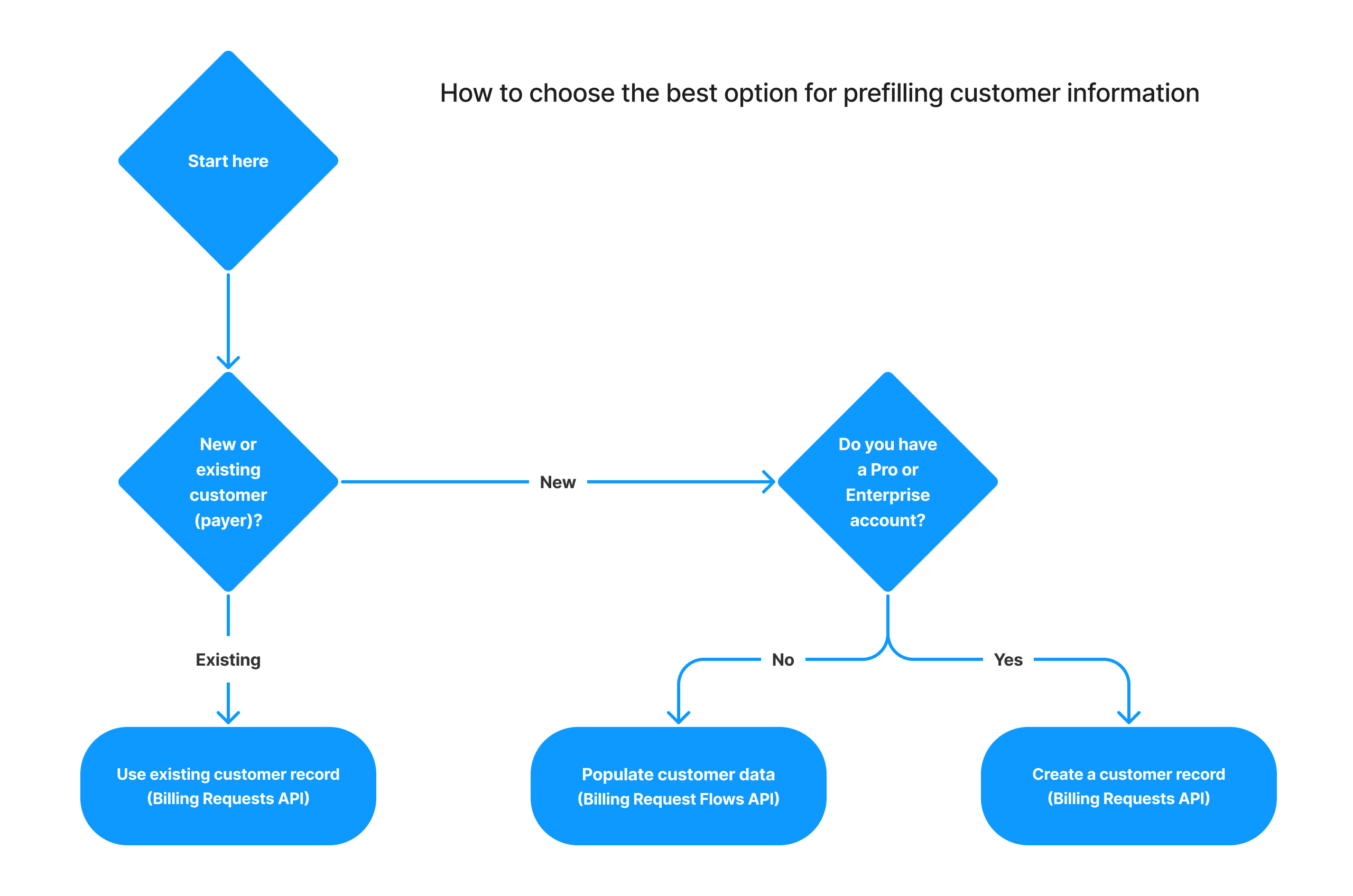
There are three ways that prefilling can be done.
- Collect Customer Details endpoint — Creates a fully pre-populated customer record so the customer skips the details page. Requires GoCardless Pro or GoCardless Enterprise with the custom payment pages upgrade.
- Existing customer record — Link an existing customer ID to the Billing Request. The customer's details are already known and they skip the customer details page entirely.
- Billing Request Flows API — Pass prefilled values into the Billing Request Flow. The customer sees their details pre-populated in the form and only needs to confirm them.
This flowchart explains which of the above methods you would use for various situations:
This doc explains how to prefill customer details using each of these approaches before sending someone into a Billing Request Flow.
Create a Billing Request#
Create a Billing Request for whatever resources you want to create - our example will ask for a payment of £5. Supply the ID of an existing customer record via the links[customer] field in o apply it to the Billing Request.
Use the Create a Billing Request endpoint:
You will receive a full Billing Request, and the existing customer and customer billing details will be linked against it.
It will look like this:
Create a Billing Request Flow#
You can now proceed to create a Billing Request Flow to retrieve a link that can be provided to your customer to complete the request:
This returns the Billing Request Flow:
If the customer visits the authorisation_url, they will begin the checkout flow asking for their customer details, but with given and family name already prefilled:
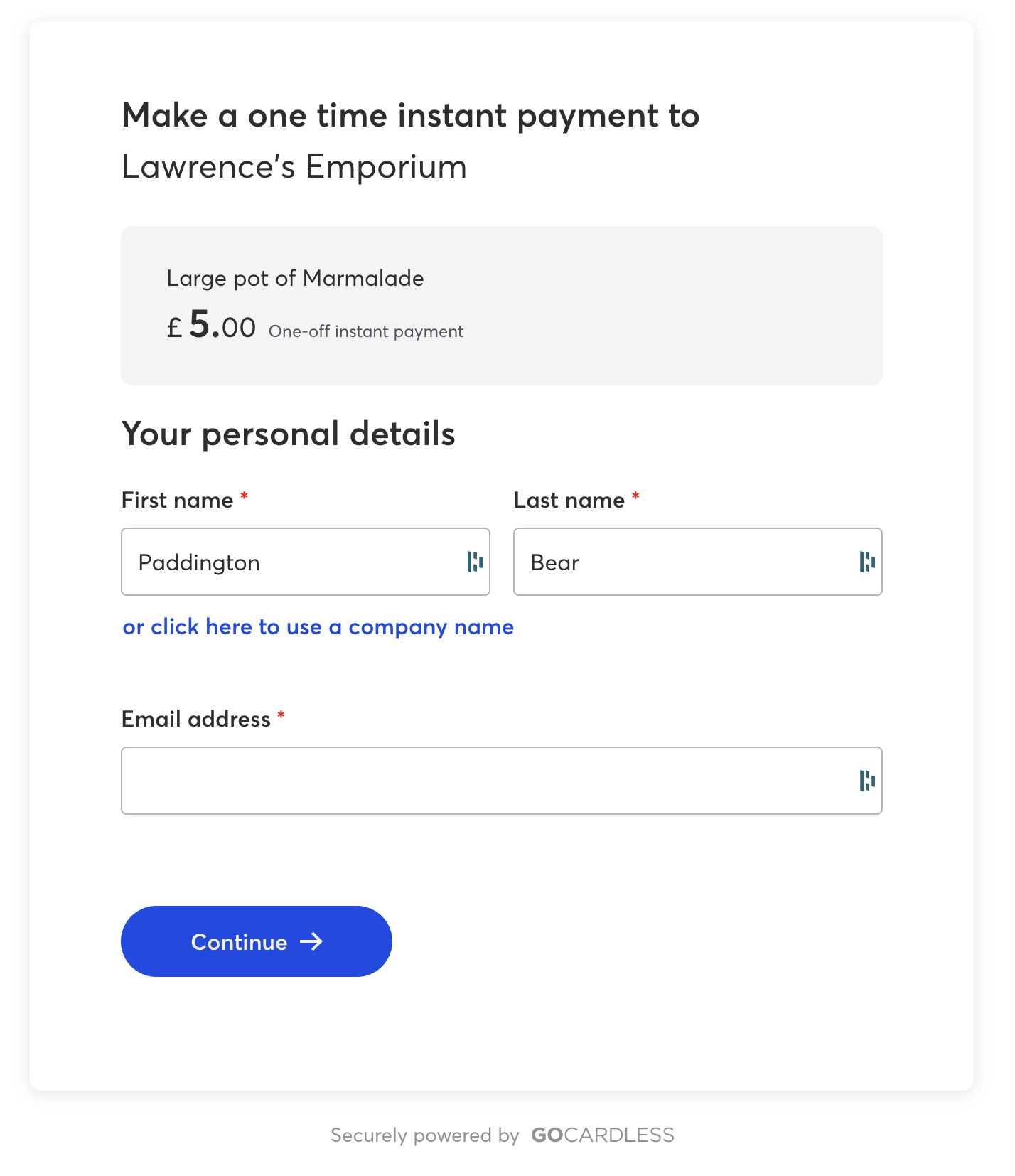
The customer can amend any of the prefilled information and complete those fields that haven't been prefilled.
Final note#
It's worth noting that this same functionality means customers who leave the flow and come back later will resume from where they left off.