
Fraud Prevention: Blocking Mandates#
This guide shows how to block a Direct Debit mandate.
Overview#
Merchants experience fraud through a number of different channels. Oftentimes, particularly for chargebacks, they notice similar payers signing up, again and again, to try and defraud them. Until now merchants did not have a way for blocking these fraudulent payers. This feature provides the capability for merchants to create a blocklist for fraudulent payers based on email_id, email_domain, and bank_account. We match against this blocklist when the payer is setting up the mandate and block the mandate if there is a match.
What can be blocked?#
The blocking feature is applicable only for Direct Debit mandates and can be used across all schemes except for the faster_payments. Pay By Banks will not be blocked. For Instant First Payment where the DD mandate is set up along with the Pay By Bank, only the DD mandate will be blocked, the Pay By Bank will be allowed to go through successfully.
Effect on API Integration#
There are no breaking changes for any of the API integrations and merchants need not do anything from their side. The customer would see the success screen when going through the billing request flow or any Payment Pages which means that they have completed the flow but the mandate would fail later on. This would be similar to failed and cancelled mandate.
Effect of blocking on payments, subscriptions, and instalment_schedules#
Once a mandate is transitioned to a blocked state it becomes inactive and behaves similar to cancelled and failed mandates. We will not be able to create any payments or subscriptions. Blocking has no impact on existing mandates and payments. Only new mandates set up after the block is in place will be impacted.
Adding details to blocklists#
This can be done by following the instructions for the Block API here
There is also a support interface, details about this can be found here
Notifications#
Payer notification#
An email notification is sent to the customer when the mandate is blocked. There won't be any changes to any of the payment pages and the payer will see the success screen. However, we do not tell the customer explicitly that they have been blocked by the organisation in order to avoid them trying different email addresses or bank accounts. We provide the mandate_id as a reference code to the payer in the email which they can use to contact the merchant.
Merchant notification#
mandate_blocked webhook notification is sent to the merchant when the mandate is blocked.
Retrieving blocked mandates#
Dashboard#
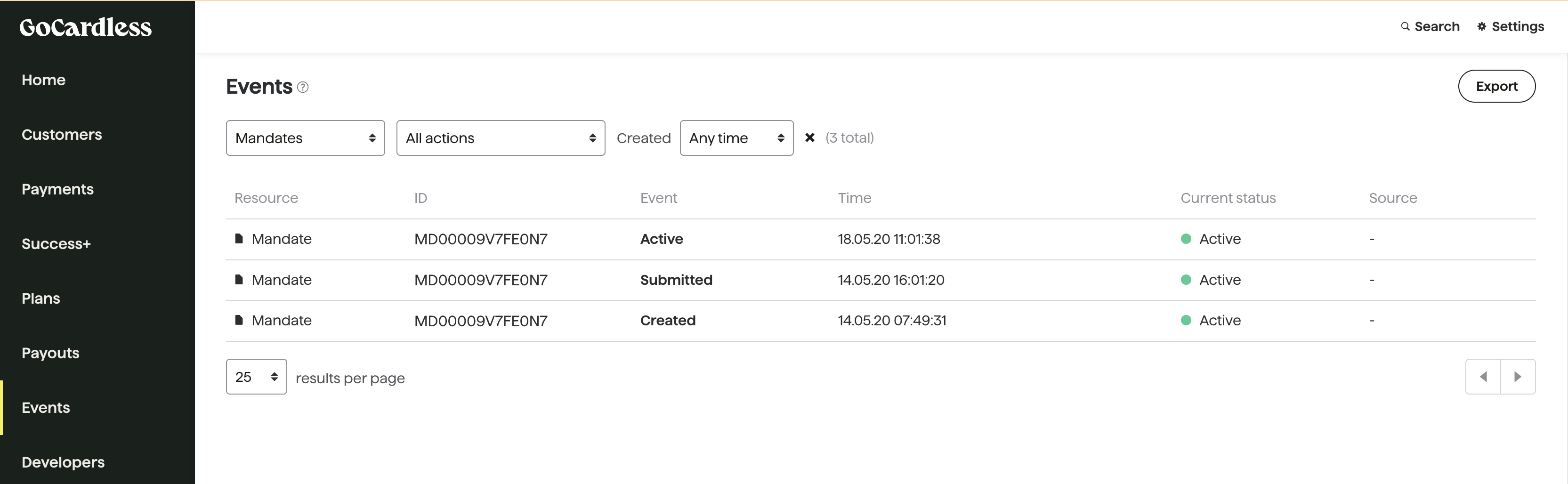
Merchant can filter for mandate blocked events in the events tab of the enterprise dashboard. This will list all the mandates blocked.
API#
Send GET API request to mandate endpoint with below filter
GET https://api.gocardless.com/mandates?status=blocked
OR send API request to the events endpoint with the below query parameters
GET https://api.gocardless.com/events?resource_type=mandates&action=blocked
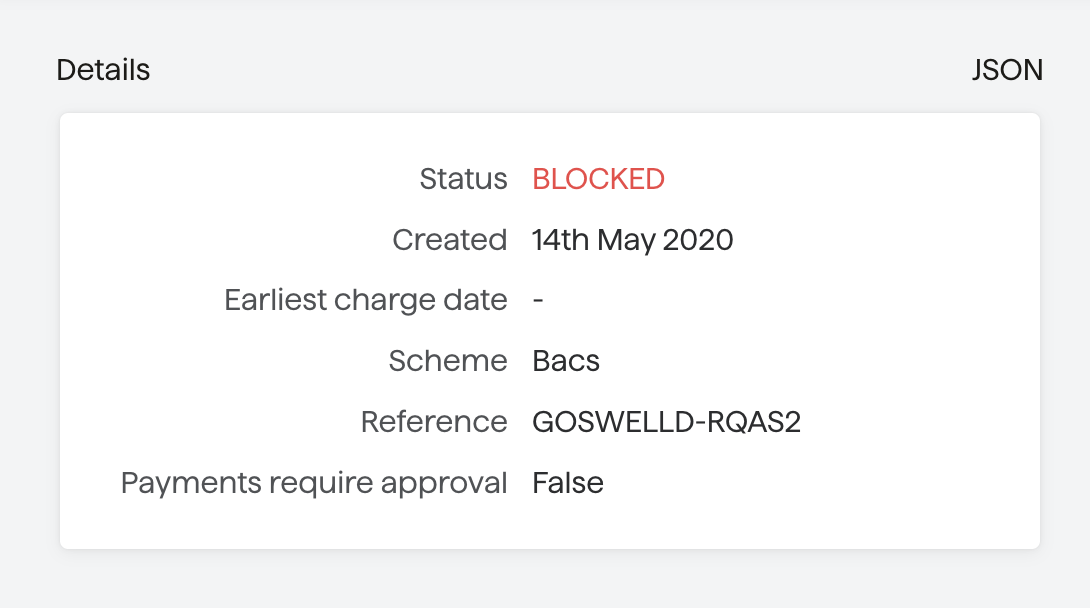
Retrieve the block state of a given mandate_id#
Dashboard#
API#
Send GET API request to mandate endpoint. The status of the mandate will be blocked
Unblocking payers#
What to do if there is a false positive#
Since a mandate can not be unblocked, the merchant has to disable the block for this payer and ask the payer to set up the mandate again.
Alternatively, merchants using the Billing Request Flow or who have done the Custom Payment Pages integration using Billing Request can follow the below steps to set up the mandate again and to reduce the number of steps the payer has to go through.
Using the Billing Request Flow#
Step 1: Create a new billing request#
Pass the customer_id and bank_account_id to create a new billing request.
Step 2a: Create a Billing Request flow#
Since we already have the customer and bank_account the payer need not fill out the form. The payer only has to confirm the details.
Step 2b-1: For Custom payment pages (Using the Billing Request API)#
Confirm the customer and bank account details
Fulfil the billing request
Step 2b-2: For Custom payment pages (Using Direct Debit APIs)#
If you create mandates using the 3 endpoints - customer create, bank account create and mandate create
Since the customer and bank_account are already available the merchant have to only create the mandate using mandate create API