
Strong Customer Authentication (SCA)#
Strong Customer Authentication (SCA) is a regulatory requirement under the Payment Services Regulations 2017 in the UK and PSD2 in the EEA. It is designed to verify your identity in order to provide protection against fraud.
The regulation requires SCA when you make a payment or access your account. You will need to verify your identity using at least two of the following three factors:
- Something you know (e.g. a password, PIN, or security question)
- Something you possess (e.g. a mobile phone, hardware token, or a smart card)
- Something you are (e.g. fingerprint, facial recognition, or other biometric data)
When you make a payment through our dashboard#
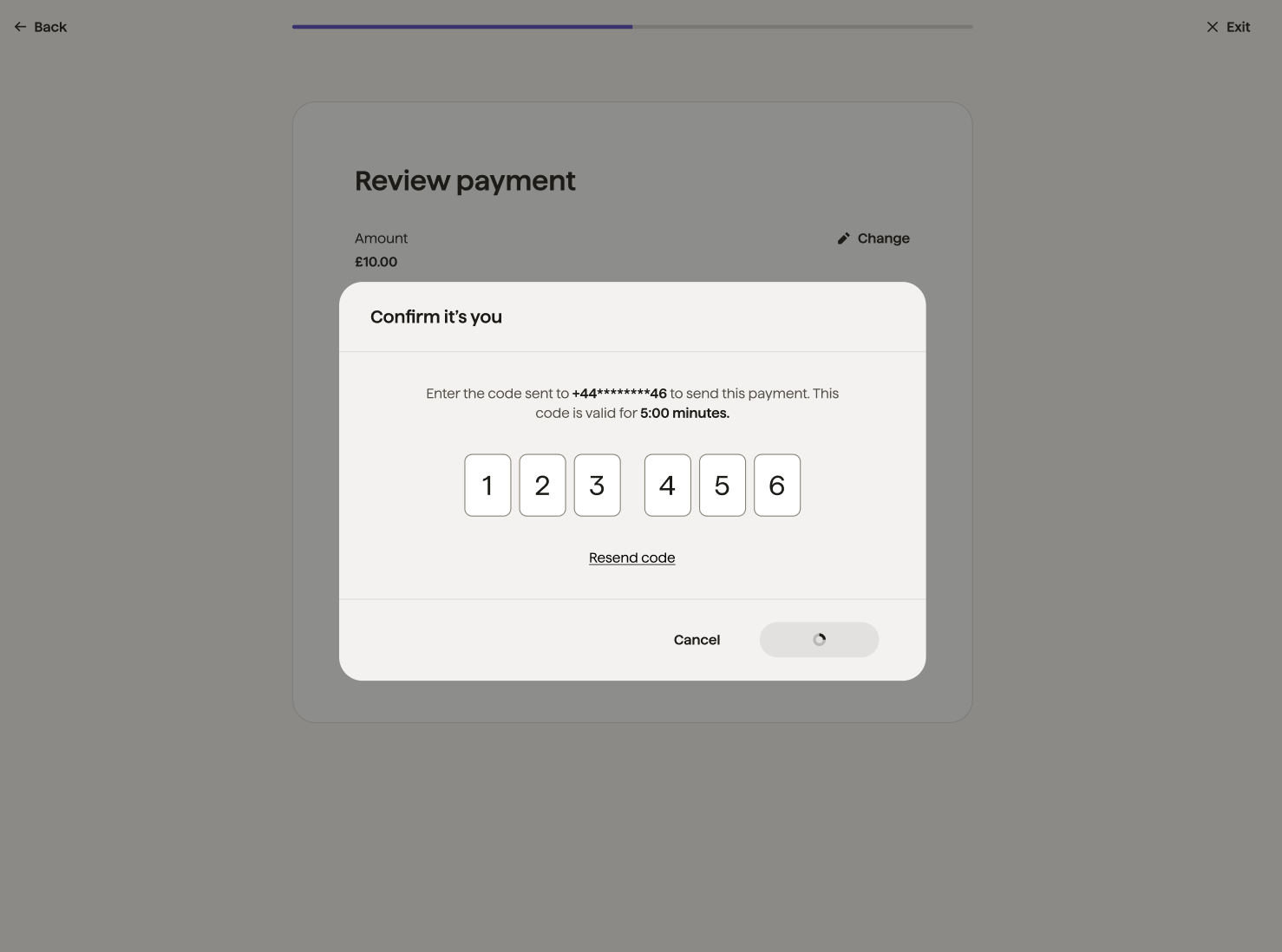
If you make a payment from the dashboard, you will receive an SMS with an authentication code that is dynamically linked to the details of the payment amount and payee, making it difficult for the code to be manipulated or used for another payment.
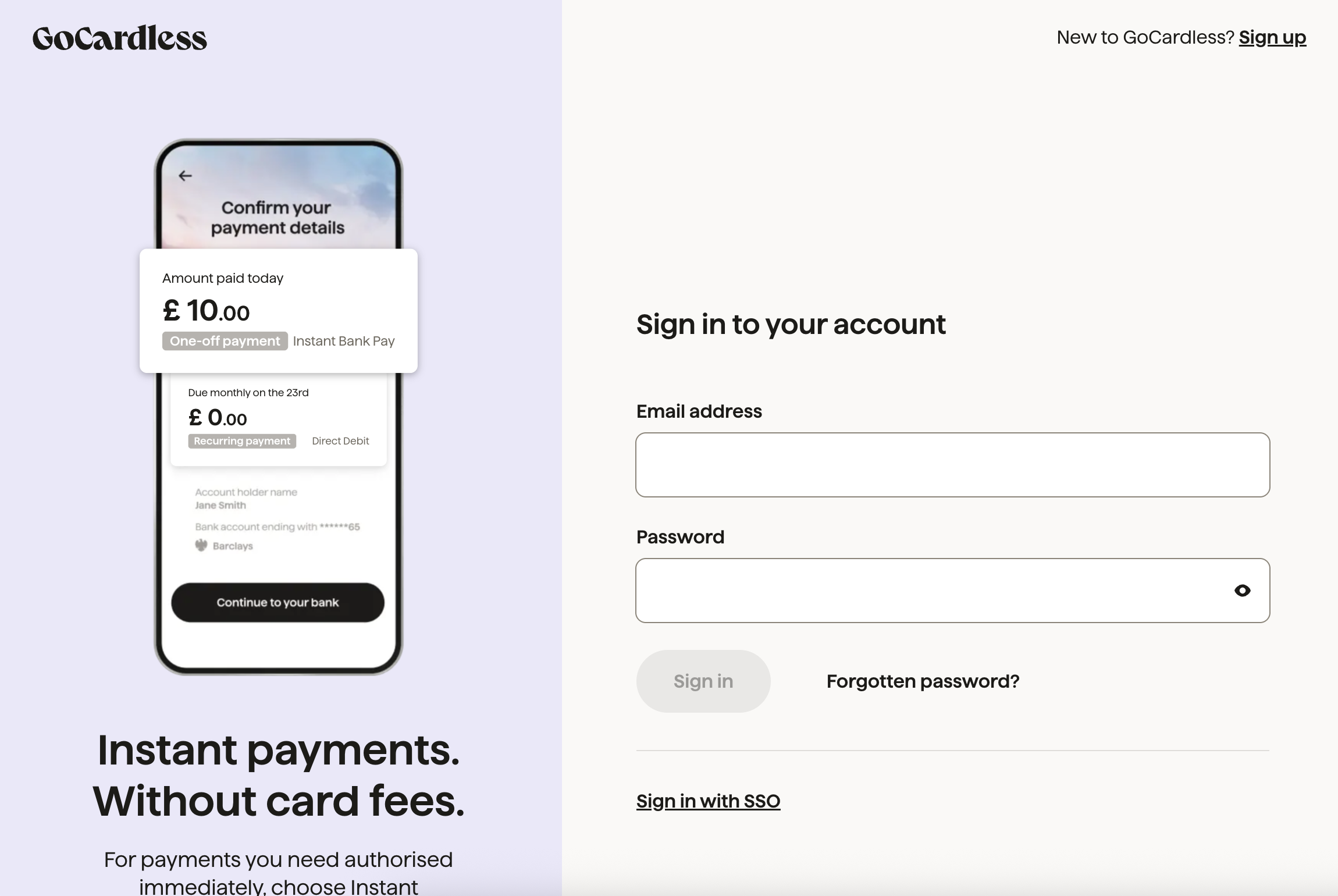
- You first log in with your password (something you know).
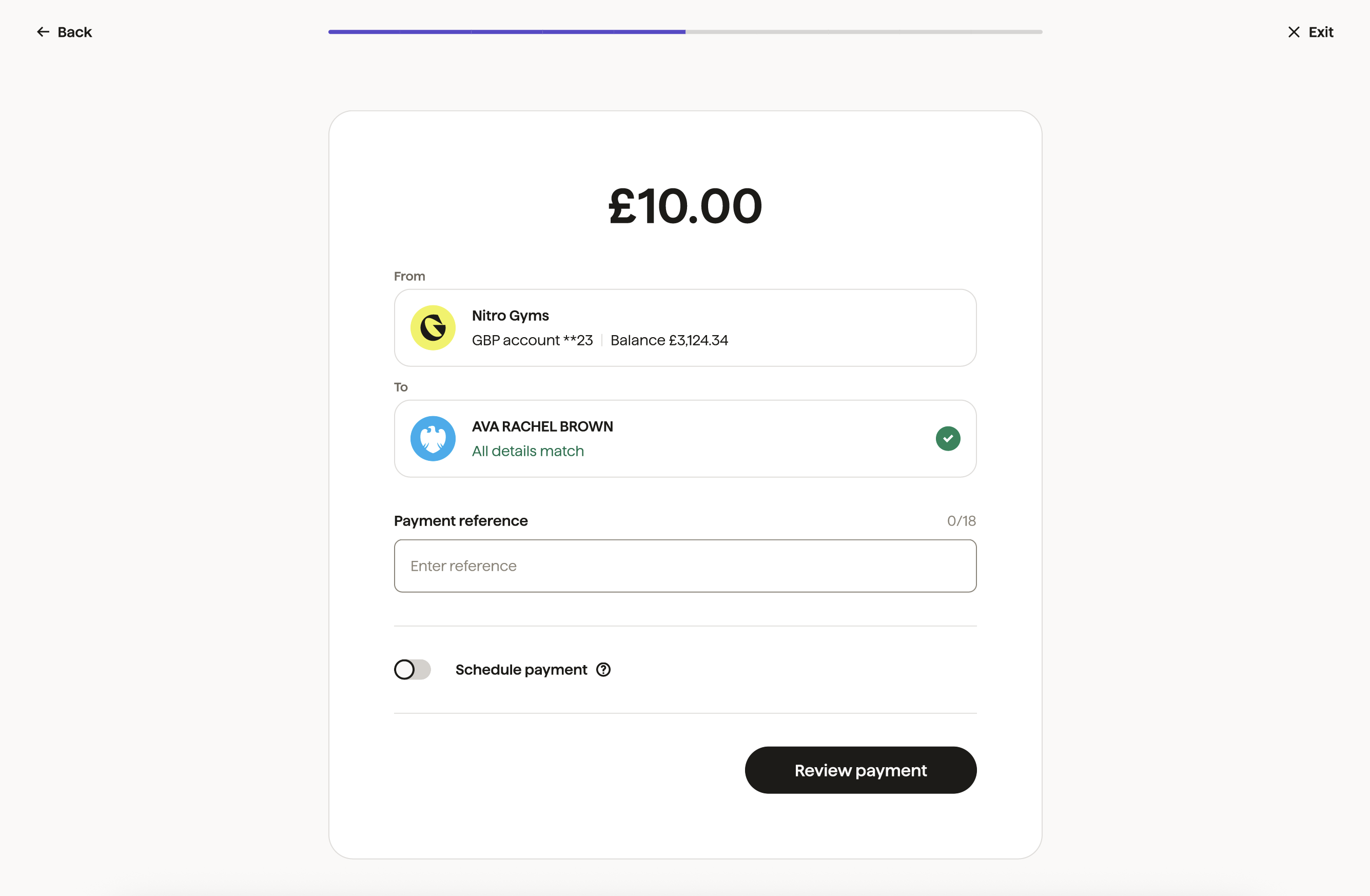
- You will be able to create the payment by inputting the amount and recipient.
- After reviewing your payment details, you'll be asked to enter a code sent to your phone (something you have).
Important points to keep in mind#
-
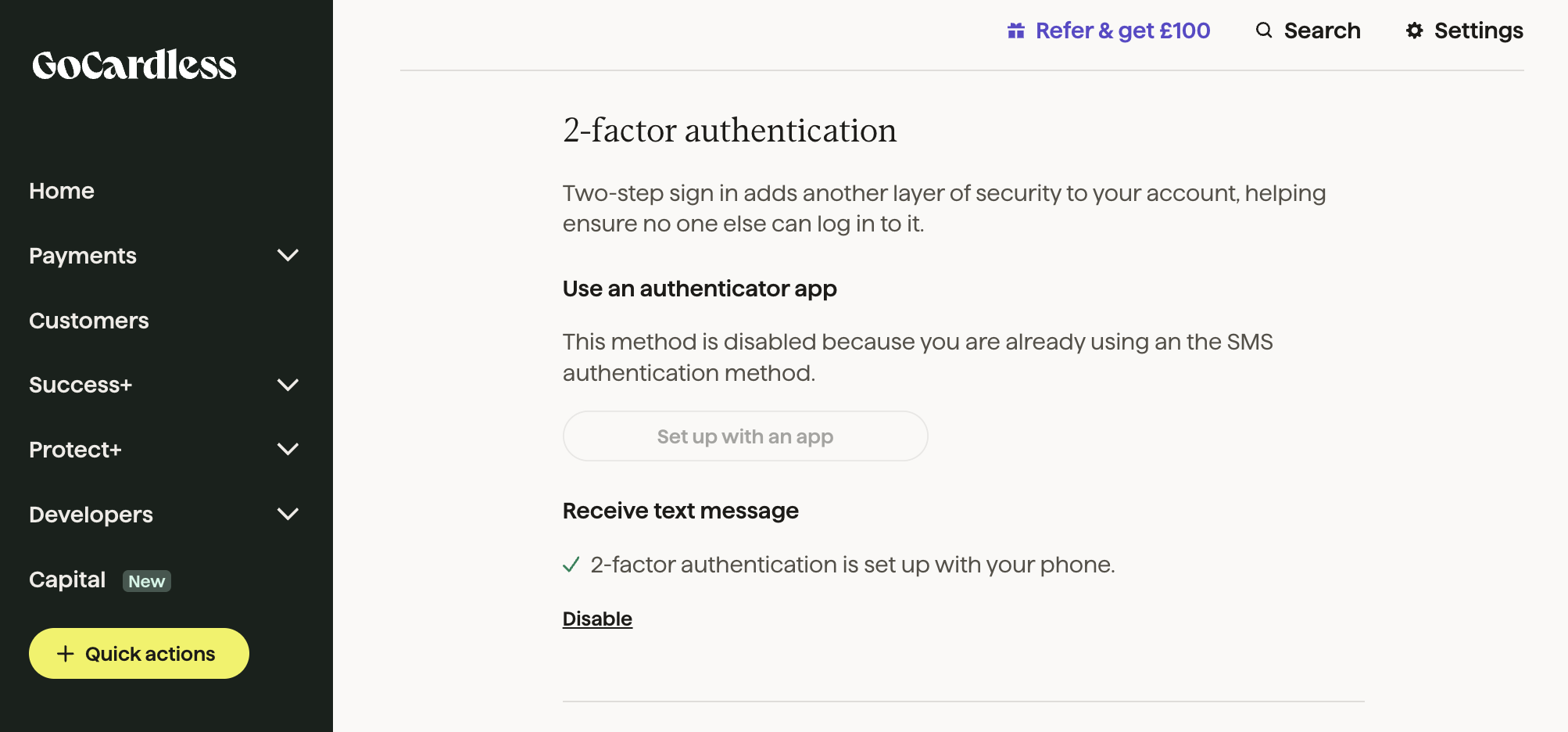
Make sure SMS 2FA is enabled. You need to have SMS-based 2FA turned on for your account. If it's not, your payment won't go through because we can't send you the code.
-
Approve within 5 minutes. After you initiate a payment, you have 5 minutes to enter the authentication code. If you do not provide a valid code in time, the payment will be cancelled. You have 5 attempts to authenticate. After 5 failed attempts, your account will be blocked from making outbound payments or withdrawals for 15 minutes.
-
Resend the authentication code. You can request to resend the authentication code up to two times. If you still don't approve the payment after the retries, it will be cancelled after 5 minutes.
Exemptions to SCA#
The regulations provide a few exemptions from SCA for outbound payments. At GoCardless, we support the Trusted Beneficiary exemption. When you make a payment to a recipient and SCA is applied, they are added to a trusted list so that subsequent payments can proceed without requiring authentication.
GoCardless automatically maintains a list of trusted beneficiaries — you cannot manage or edit this list. A recipient is automatically marked as trusted after the first successful payment sent to them that includes a completed SCA and passes the Confirmation of Payee check with full_match results.
What do you need to do if you don't use the GoCardless Dashboard?#
If you're building your own API integration, you must include your organisation's authorisation token in every request (something you know). You should also sign your API requests with your organisation's certificate (something you own) to verify their authenticity. This helps ensure security and compliance with PSD2 regulations.