GoCardlessDeveloper Docs
Create a sandbox account

Retain customers with Fallbacks#

View as Markdown

Some customers may not be able to authorise the open banking transaction in the Billing Request Flow. A few reasons this can happen include but are not limited to, being unable to use their mobile, not being set up with online banking, or a transient issue with their bank's open banking API.

To enable these customers to still complete the Billing Request via Direct Debit, create the Billing Request with the fallback_enabled parameter set to true.

Create a Billing Request with Fallback Enabled#

Create a Billing Request with the fallback_enabled parameter to true:

POST /billing_requests
{
  "billing_requests": {
    "payment_request": {
      "currency": "GBP",
      "amount": "500",
      "description": "Large pot of Marmalade"
    },
    "fallback_enabled": true
  }
}

This will create a new Billing Request with the fallback option enabled. The response will look like this:

{
  "billing_requests": {
    "id": "BRQ123",
    "status": "pending",
    "payment_request": {
      "description": "Large pot of Marmalade",
      "currency": "GBP",
      "amount": 500,
      "scheme": "faster_payments",
      "links": {}
    },
    "metadata": null,
    "links": {
      "customer": "CU123",
      "customer_billing_detail": "CBD123",
      "organisation": "OR123"
    },
    "creditor_name": "Mr Creditor",
    "actions": [
      {
        "type": "choose_currency",
        "required": true,
        "completes_actions": [],
        "requires_actions": [],
        "status": "completed"
      },
      {
        "type": "collect_customer_details",
        "required": true,
        "completes_actions": [],
        "requires_actions": ["choose_currency"],
        "status": "pending",
        "collect_customer_details": {
          "incomplete_fields": {
            "customer": ["email", "given_name", "family_name"]
          }
        }
      },
      {
        "type": "select_institution",
        "required": false,
        "completes_actions": [],
        "requires_actions": [],
        "status": "pending"
      },
      {
        "type": "collect_bank_account",
        "required": true,
        "completes_actions": ["choose_currency"],
        "requires_actions": [],
        "status": "pending"
      },
      {
        "type": "bank_authorisation",
        "required": true,
        "completes_actions": [],
        "requires_actions": ["collect_bank_account"],
        "status": "pending"
      }
    ],
    "resources": {
      "customer": {
        "id": "CU123",
        "created_at": "2021-03-22T12:20:04.238Z",
        "email": null,
        "given_name": null,
        "family_name": null,
        "company_name": null,
        "language": "en",
        "phone_number": null,
        "metadata": {}
      },
      "customer_billing_detail": {
        "id": "CBD123",
        "created_at": "2021-03-22T12:20:04.374Z",
        "address_line1": null,
        "address_line2": null,
        "address_line3": null,
        "city": null,
        "region": null,
        "postal_code": null,
        "country_code": null,
        "swedish_identity_number": null,
        "danish_identity_number": null
      }
    },
    "fallback_enabled": true,
    "fallback_occurred": false
  }
}

Customers attempting to complete this billing request will now have the option to complete it via Direct Debit, in the case that they cannot complete the regular open banking flow.

The customer sees Continue payment using Direct Debit button#

This button is shown in two cases

  1. Select Institution Screen
  2. Bank Authorisation Failure

Select Institution screen#

Customers will see an option to continue using Direct Debit when they search for their bank but can't find it.
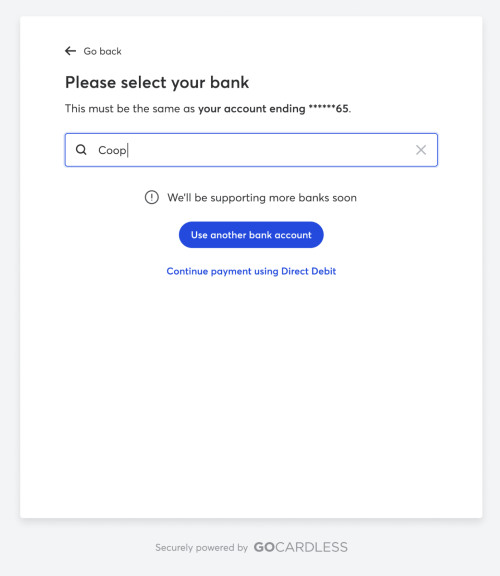
Billing Requests: Fallbacks - Select Institution screen

Bank Authorisation Failure#

The action is also shown in case of bank authorisation failure. To replicate this in the sandbox environment, you can select
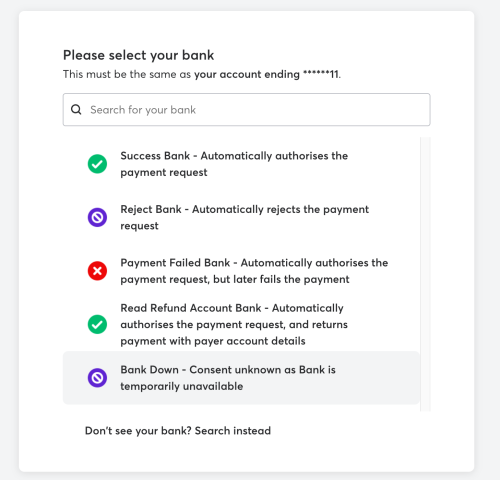
Billing Requests: Fallbacks - Select Fallback Institution screen

Then you will proceed to the Bank Authorisation screen with the option to Continue Payment using Direct Debit.
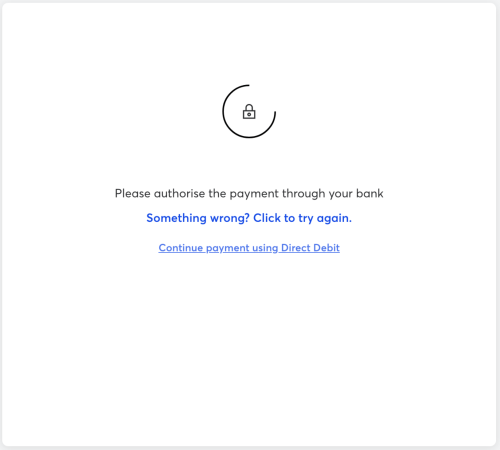
Billing Requests: Fallbacks - Bank Authorisation Failure Screen

If the customer continues using Direct Debit, they will be shown the Collect Customer Details page in case if an address was not collected earlier. This is required for Direct Debit.
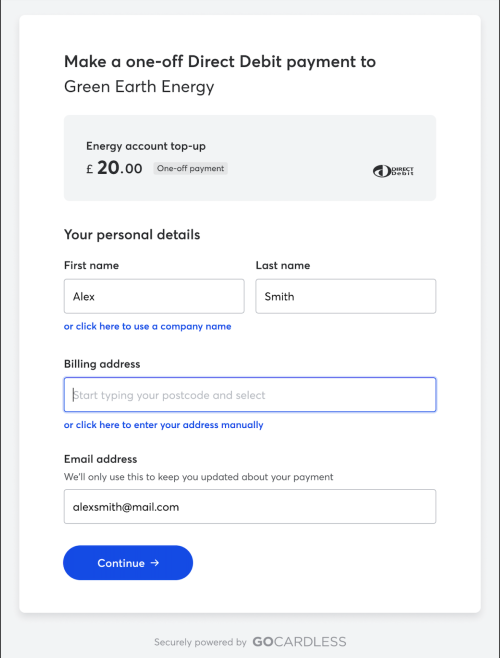
Billing Requests: Fallbacks - Collect Customer Details Screen

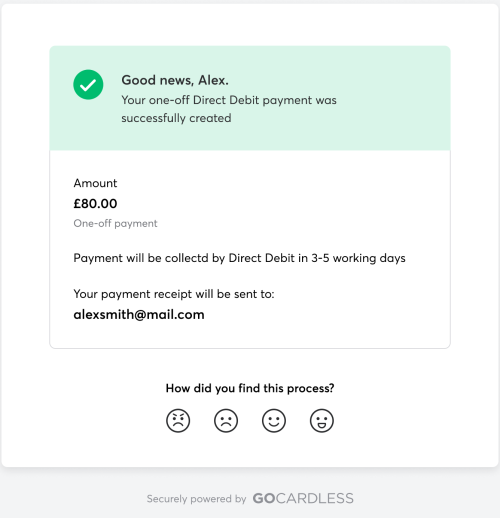
Once the customer fills and confirms the details, they'll be shown the success screen confirming that Direct Debit has been set up and payment will be collected as soon as possible.
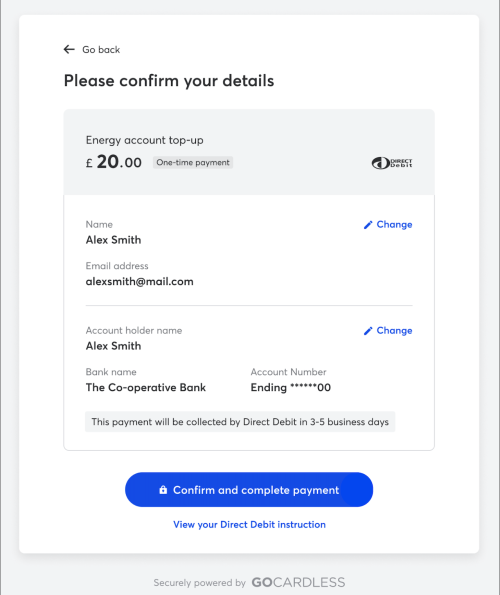
Billing Requests: Fallbacks - Confirm Details Screen

Billing Requests: Fallbacks - Direct Debit Setup Success Screen

Once the fallback occurs, then the fallback_occurred the parameter will be set to true.

What's next?#