
Onboarding and settings#
How to walk your users from discovering GoCardless to being ready to collect payments.
Show GoCardless in your product#
Show GoCardless to your users at the right time. They're more likely to set up payments when you suggest it within their normal workflow, or when they're dealing with a problem.
What to include
Suggest GoCardless at these moments:
- During onboarding
- When adding a customer
- When creating a transaction
- On your payment settings page
Also consider
When your user is dealing with a problem GoCardless solves:
- Next to overdue transactions
- When they handle reconciliation manually
- Next to a payment that failed because a credit card expired
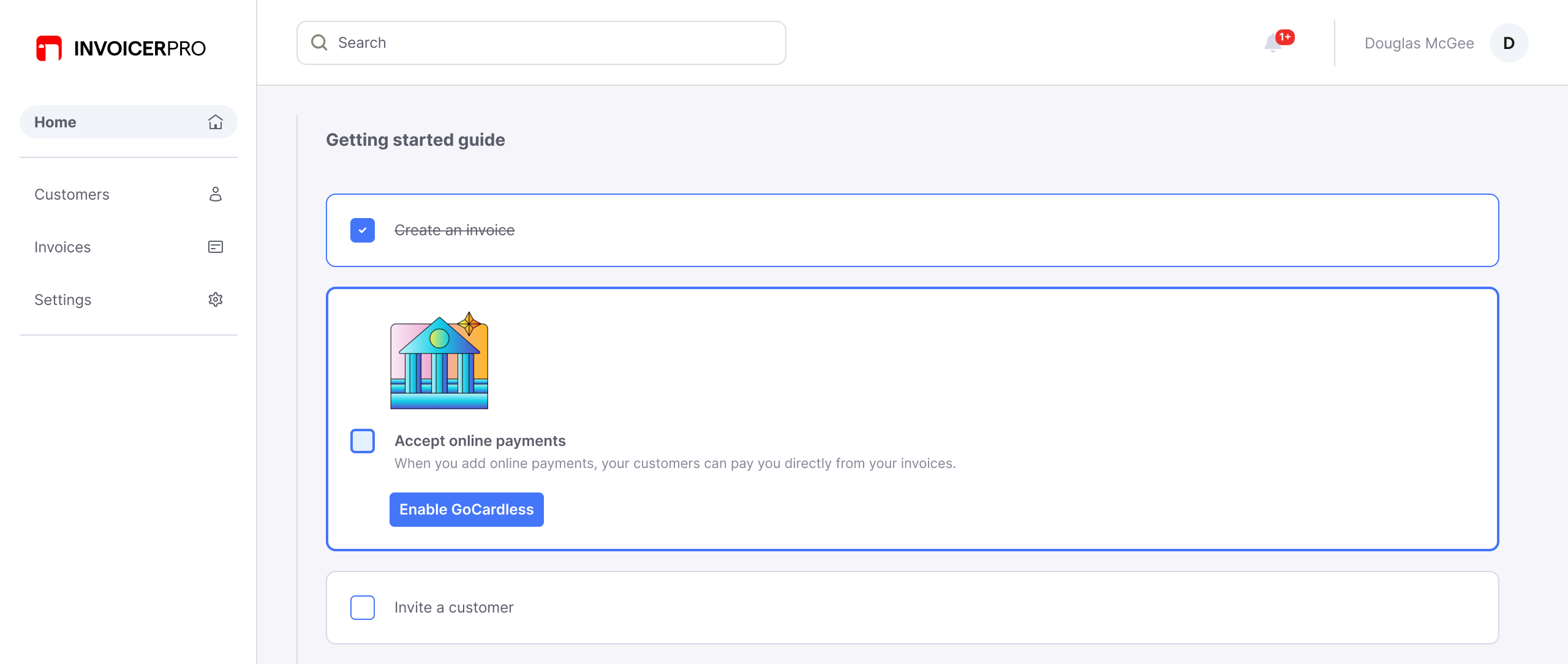
Getting started guide
Make accepting online payments a step in your setup checklist, so new users add GoCardless early.
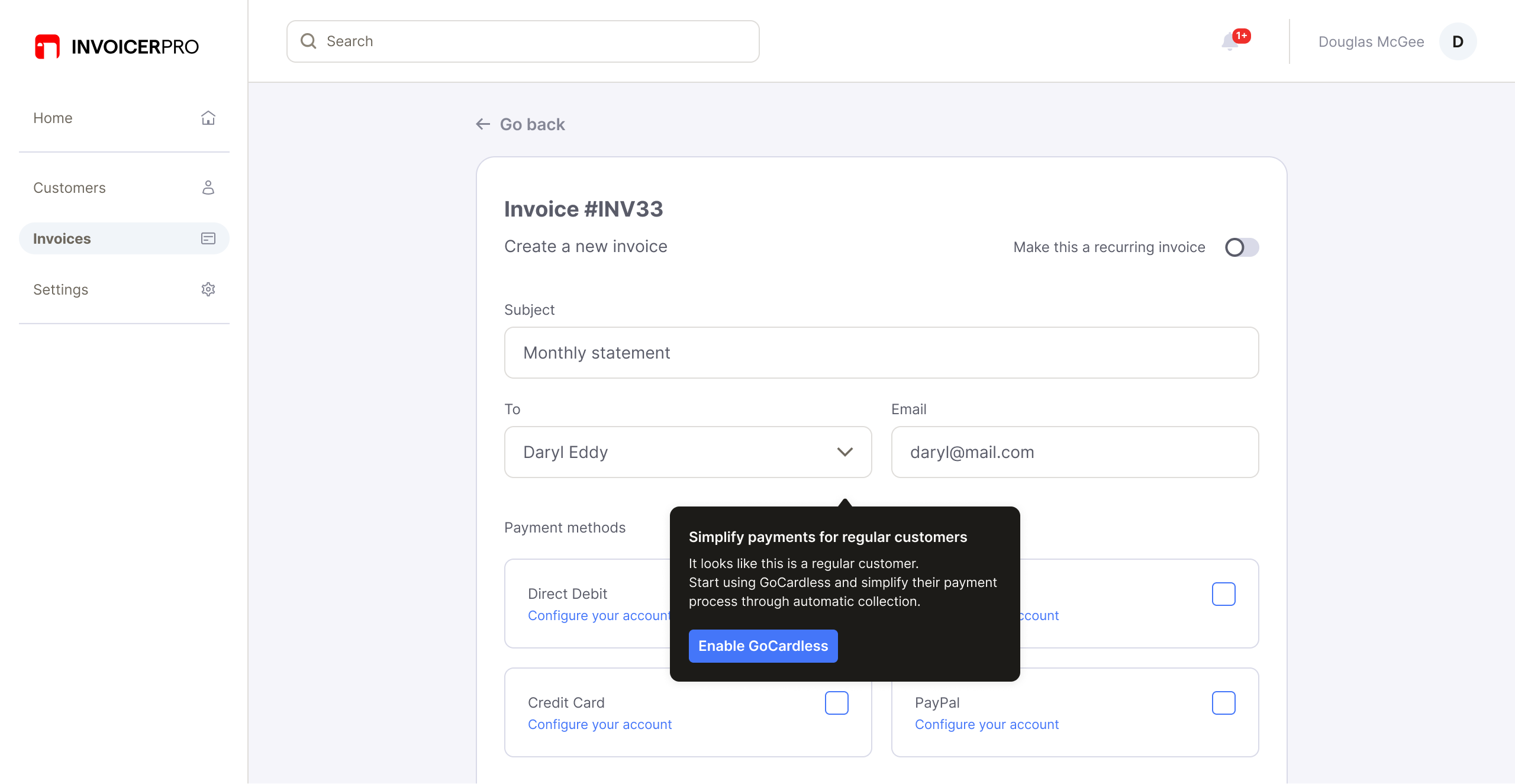
Creating a transaction
When your user bills a regular customer, suggest GoCardless where they pick a payment method.
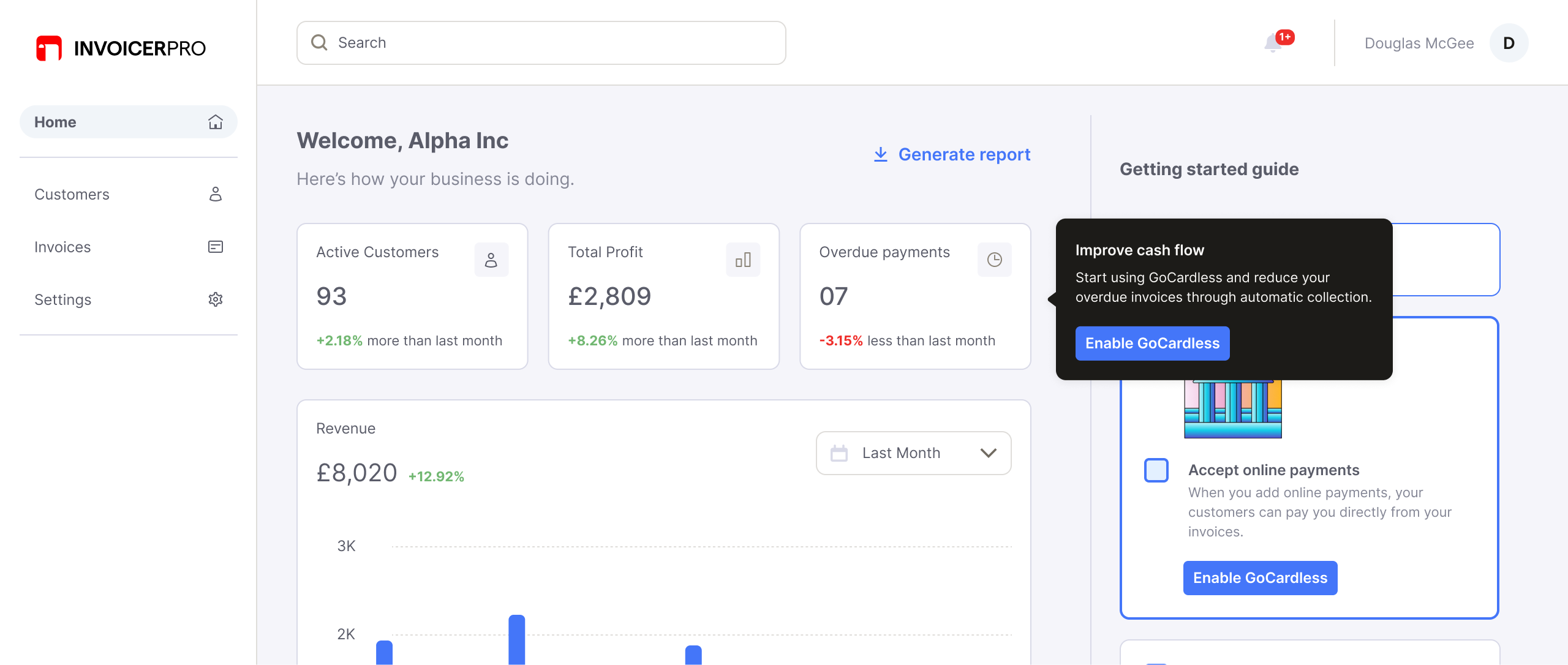
Overdue payments
Next to overdue payments, show how automatic collection improves cash flow.
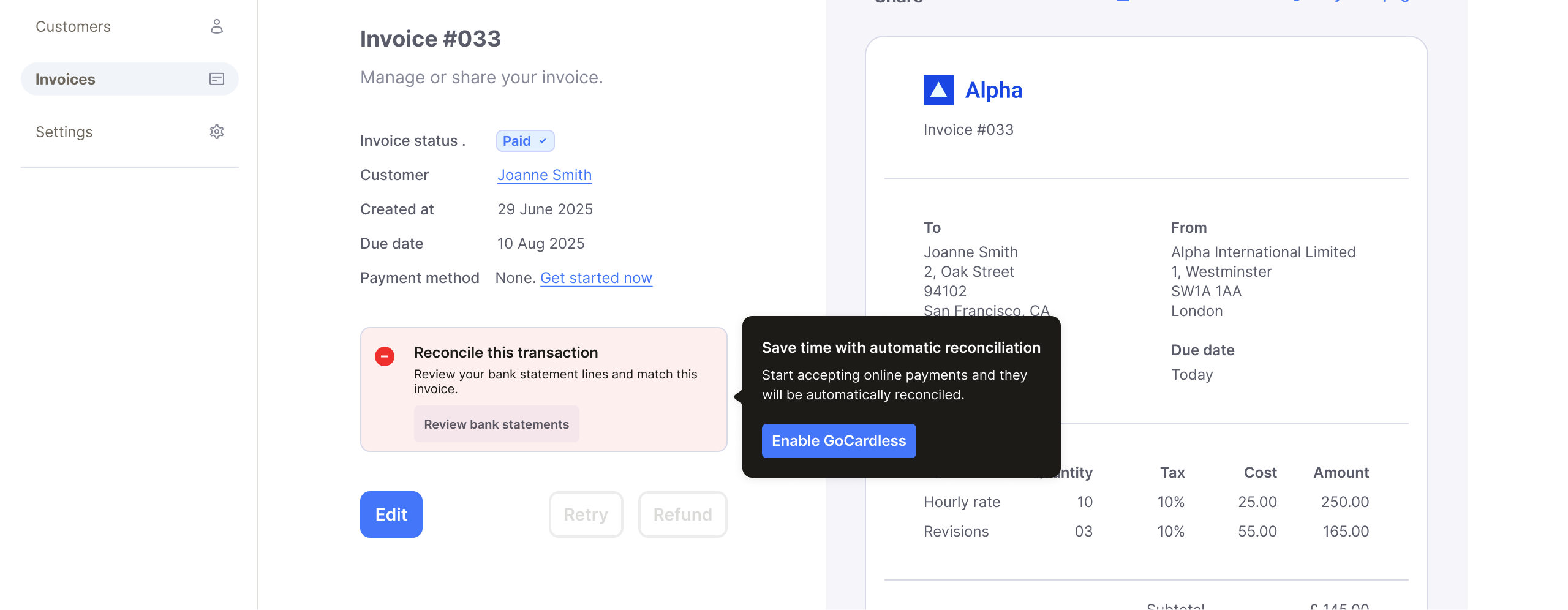
Manual reconciliation
When your user has to match a payment by hand, show that GoCardless payments reconcile automatically.
Describing each payment method#
Example copy you can adapt for your product:
| Payment method | Best for | To your users | To payers |
|---|---|---|---|
| Direct Debit | Recurring payments | Collect one-off and recurring payments automatically, without chasing payers | Set up a Direct Debit once, and future payments are collected automatically |
| Pay by Bank | One-off payments and retries | Get paid straight from the payer's bank account, confirmed within minutes | Pay straight from your bank account and approve it in your banking app |
| Pay by Bank + future Direct Debit | First payment now, recurring payments later | Get the first payment instantly, then collect future payments automatically by Direct Debit | Pay the first amount now, and future payments are collected automatically |
Account connection and settings#
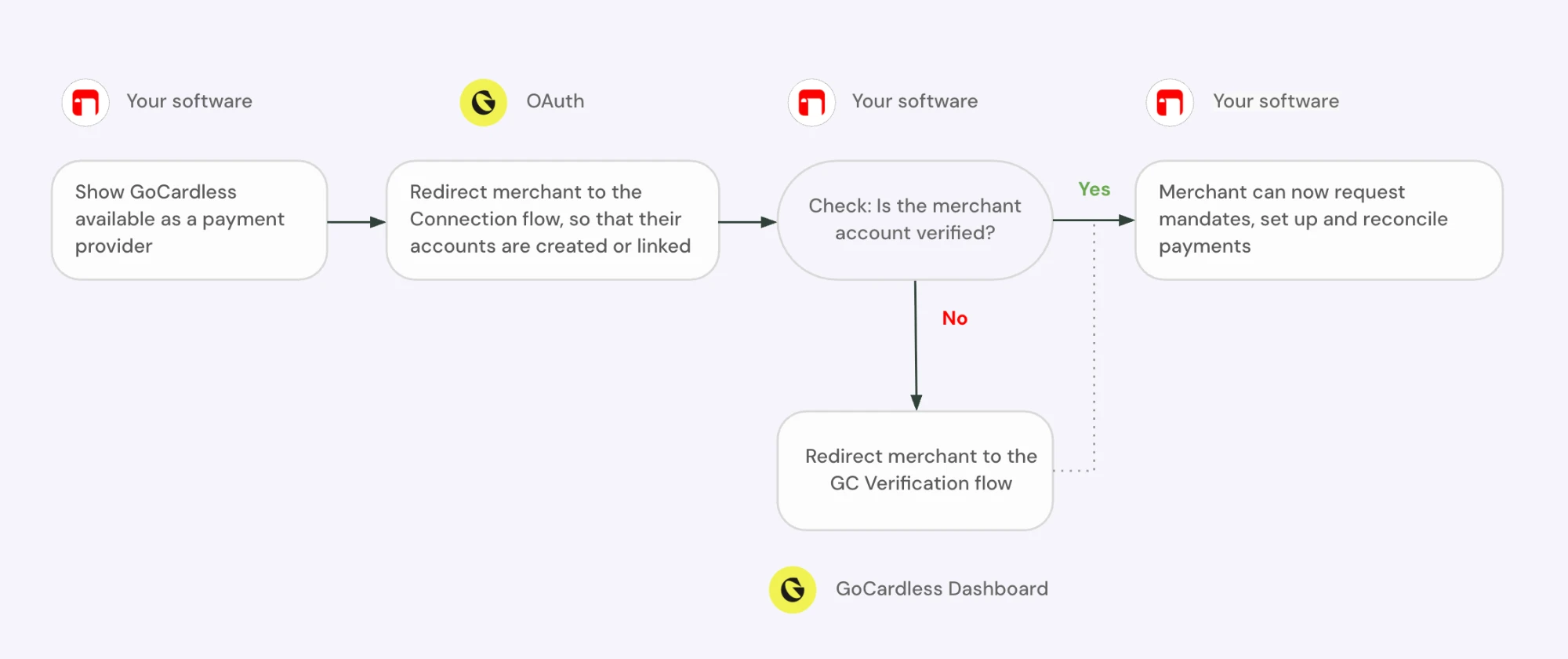
Your users connect their GoCardless account, get verified, and then manage the connection from your product.
Account connection#
The first step of an integration happens inside your product. Your user connects their GoCardless account through our hosted OAuth flow. There, they can connect an existing GoCardless account or create a new one. Once they're connected, you need to check whether they're verified.
What to include
- A way to connect from your product, which sends your user to the OAuth flow
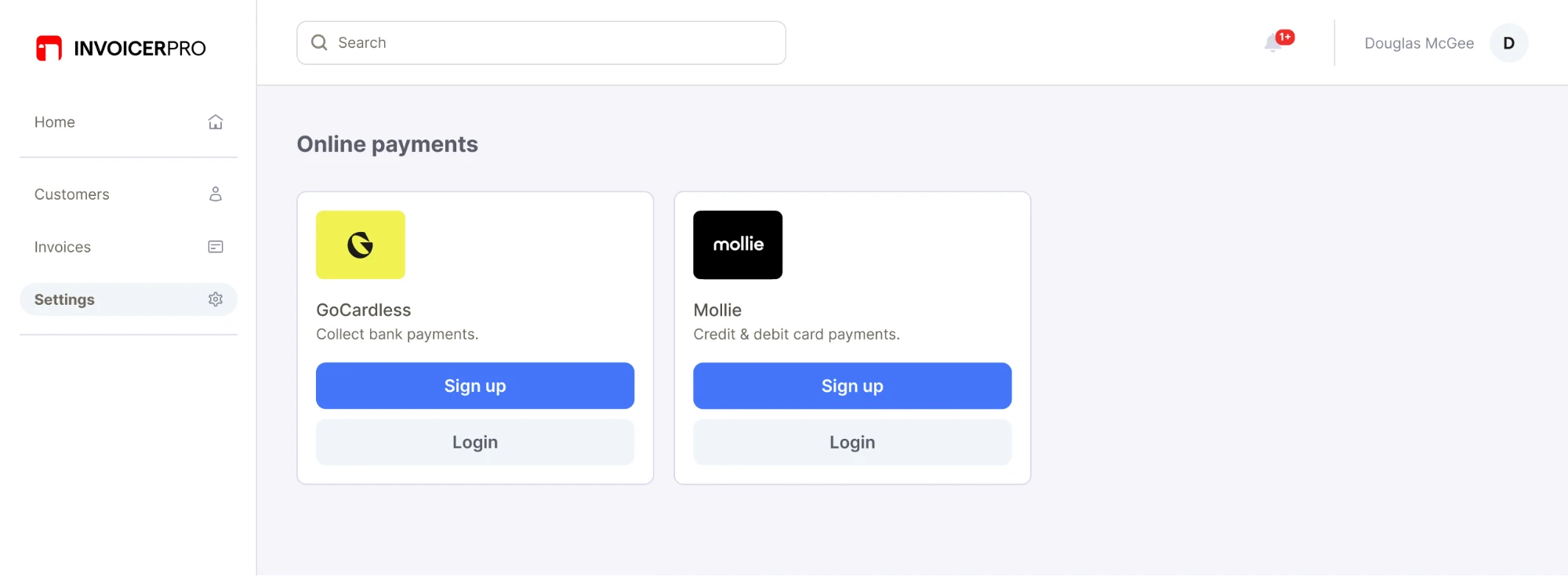
- Entry points for both signing up and logging in
- Your user's details, prefilled in the OAuth flow
Also consider
- A connect button on your payment settings page
- A short explanation of what happens when your user connects, to reassure them
Your payment settings page offers separate sign-up and login buttons:
Your user then lands on the GoCardless OAuth flow, where they sign up or sign in and connect their account:
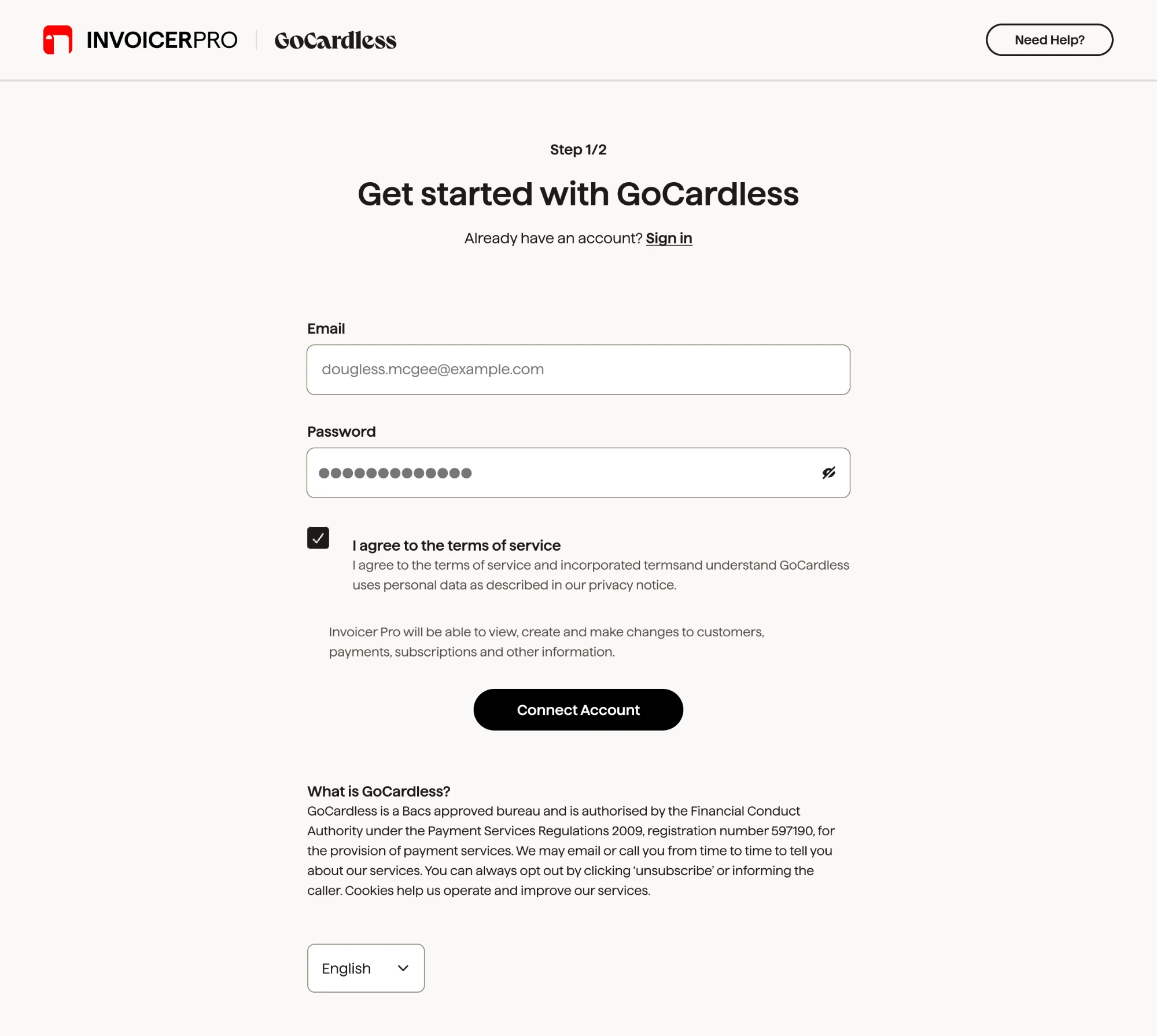
How to build it: see connect your merchants. The initial_view and prefill parameters set the entry point and prefill the details.
Account verification#
All new GoCardless users need to submit their business details before they can collect payments. This last step of onboarding is the verification flow, and it's hosted in the GoCardless dashboard. Approval can be immediate or take a few days, depending on the business.
What to include
- Your user's verification status: verified or not
- A clear message that they can't collect payments or receive payouts until they are
- A link to the verification flow when we need more information from them (
action_required) - A message that their details are being reviewed when they're
in_review
Also consider
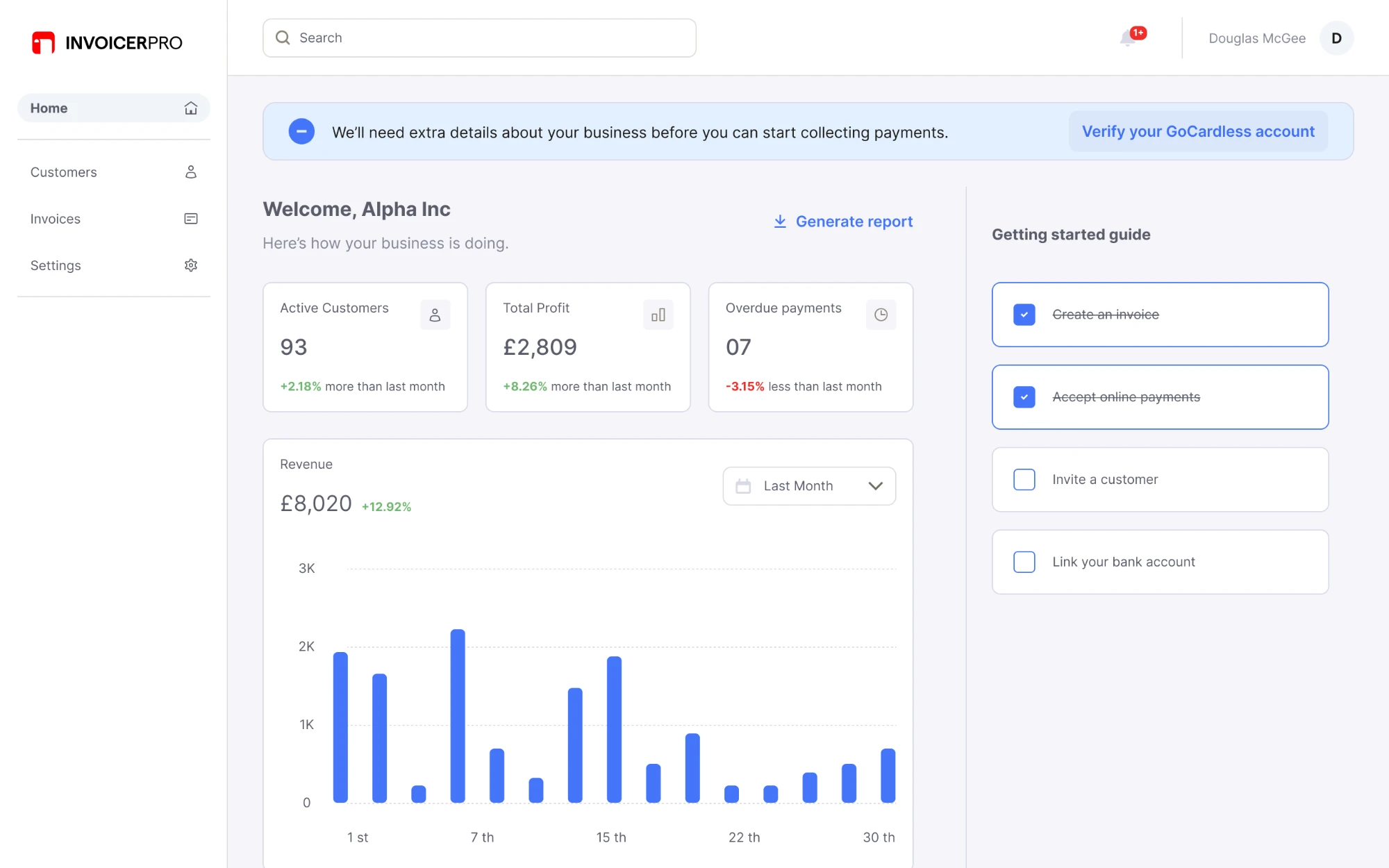
- Showing the prompt somewhere your user sees often, like your home page or the top of your payments page, as a banner or a pop-up. Not only on your settings page
- Checking the status again later, not only after your user connects. Users can need verification again, for example when they change their bank account
A banner asks unverified users to submit their details:
How to build it: see getting your users verified.
Account details and settings#
Your users need to see which GoCardless account is connected, and manage it.
What to include
- The account name, account ID, and verification or connection status
- A way to disconnect
Also consider
- Bank account mapping, for reconciliation and fees
- A list of their mandates and the customers they're linked to, with a way to unlink each one. Unlinking cancels any future scheduled payments
- A link to import existing mandates
A mandates page lists each linked mandate, with a way to unlink it:
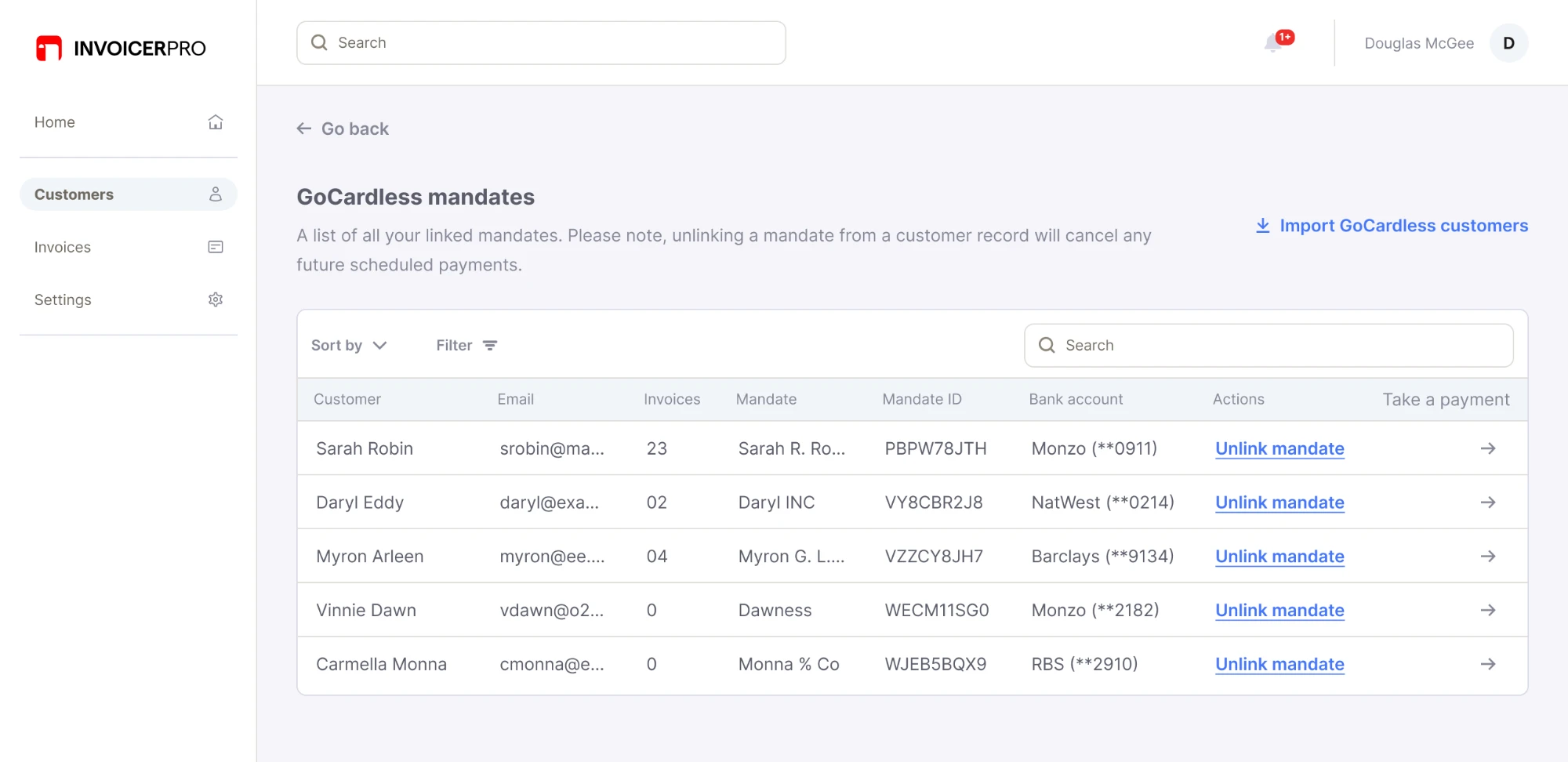
How to build it: see connect your merchants.
Importing payers#
Some of your users may already be GoCardless merchants, and they will have active mandates in our platform before they connect to your product. They need a way to migrate services, by importing mandates and matching them to customers in your product.
What to include
- A button to import existing mandates and match them to customers in your product
- A list of unmatched mandates, available at any time, not only during setup
Also consider
- Showing each mandate's name, email and bank account, so your user can tell them apart
An import screen lets your user bring in existing mandates and match each one to a customer:
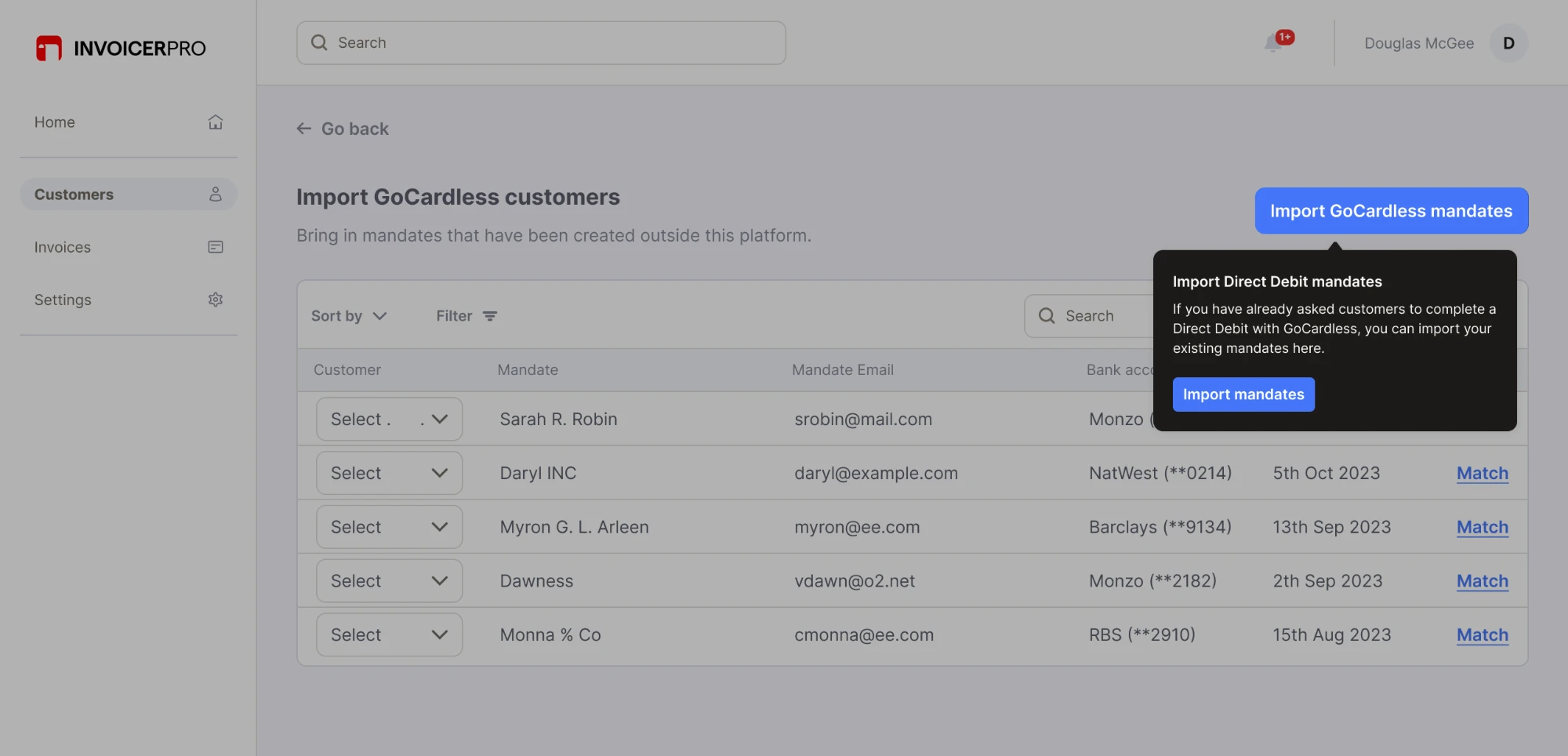
How to build it: see supporting mandates set up outside of your product.