
Management#
Mandates and payments change status independently of your transactions. Show your users where each one is, so they can solve problems themselves.
Mandate status#
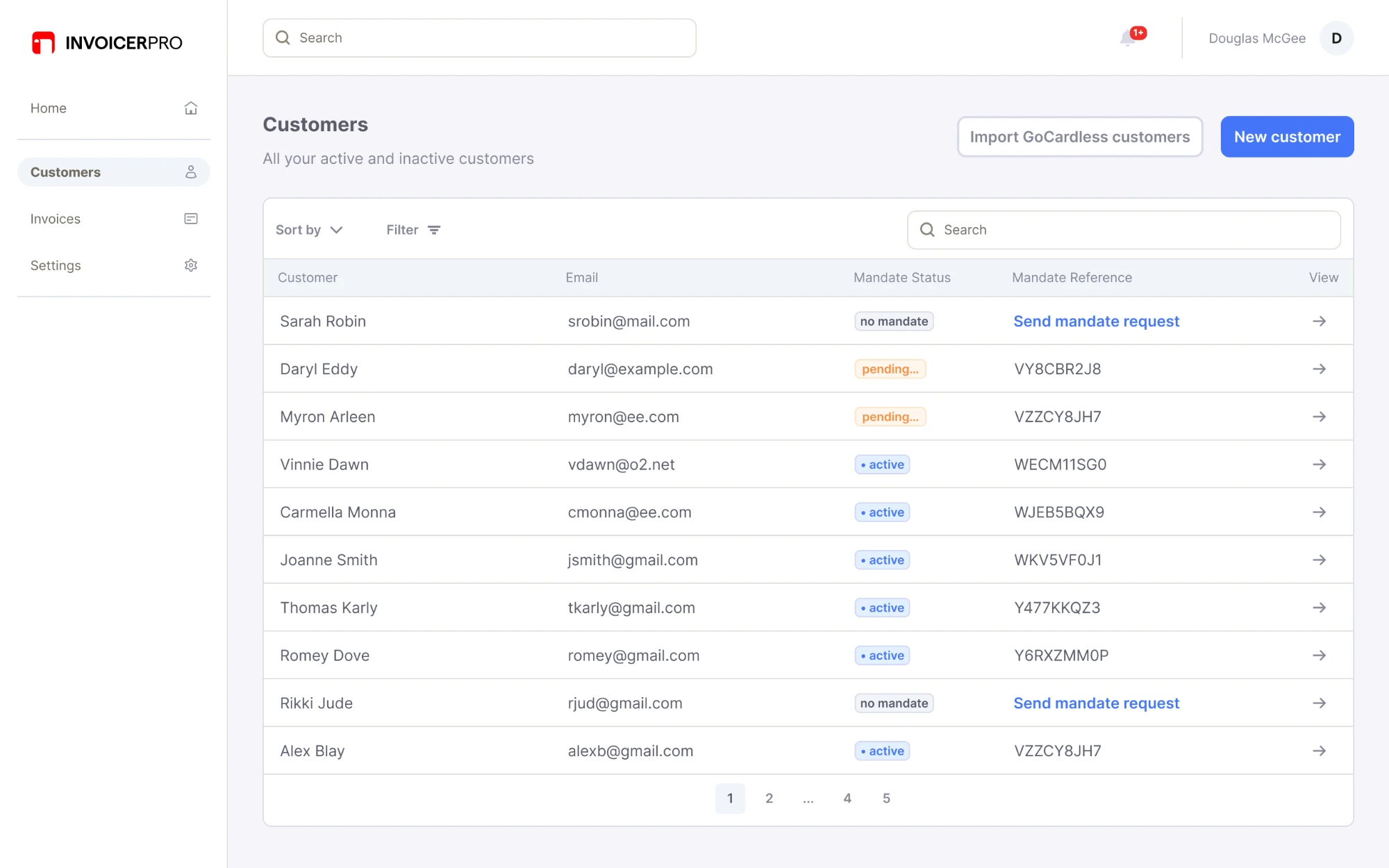
On your customer page, show the customer's GoCardless mandate details. Your users can then troubleshoot problems themselves, like a pending, expired or cancelled mandate, instead of guessing what's happening.
What to include
- The mandate reference
- The mandate status
- A preview of the bank account
Customer list
Customer page
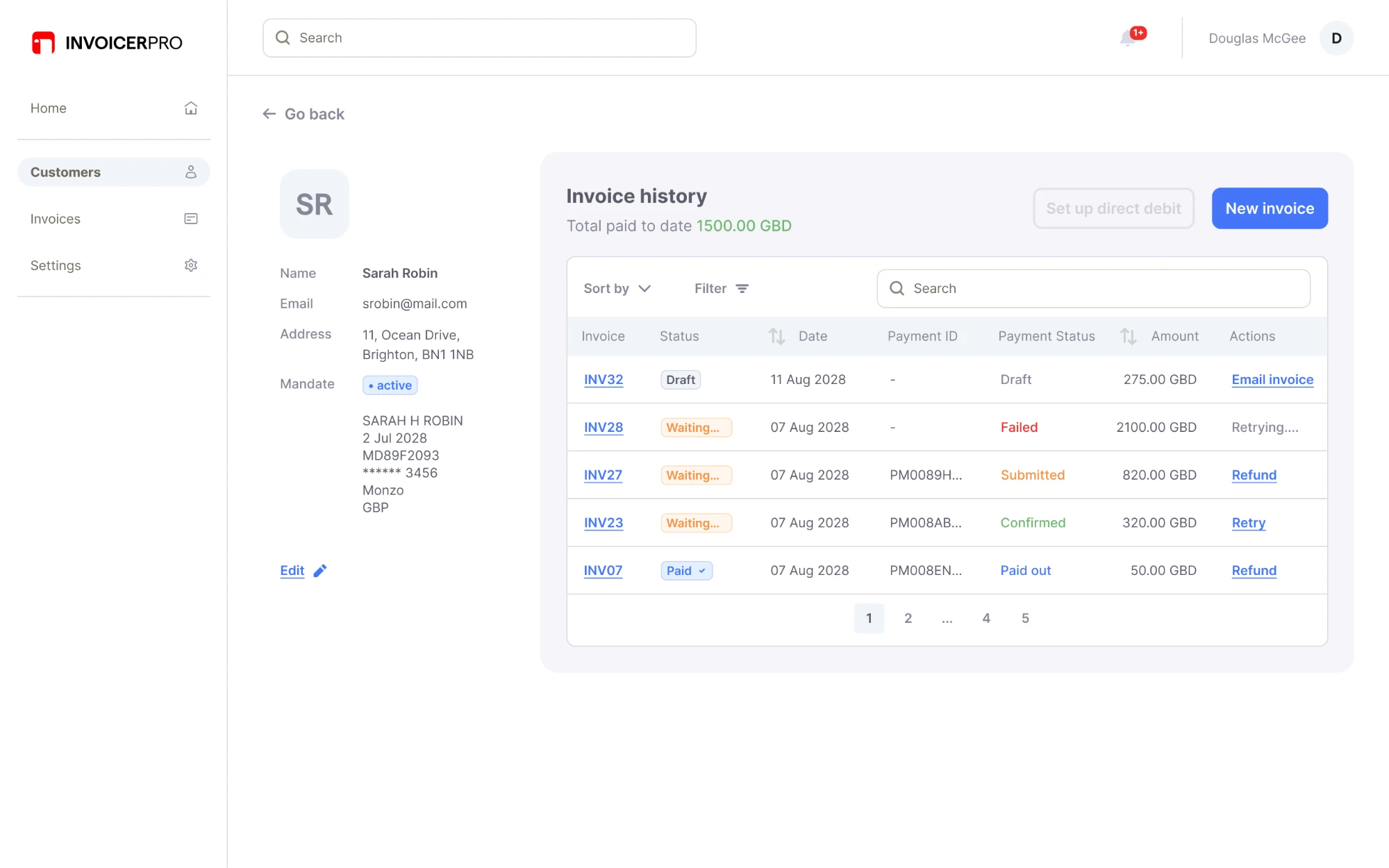
How to build it: see setting up mandates.
Payment status#
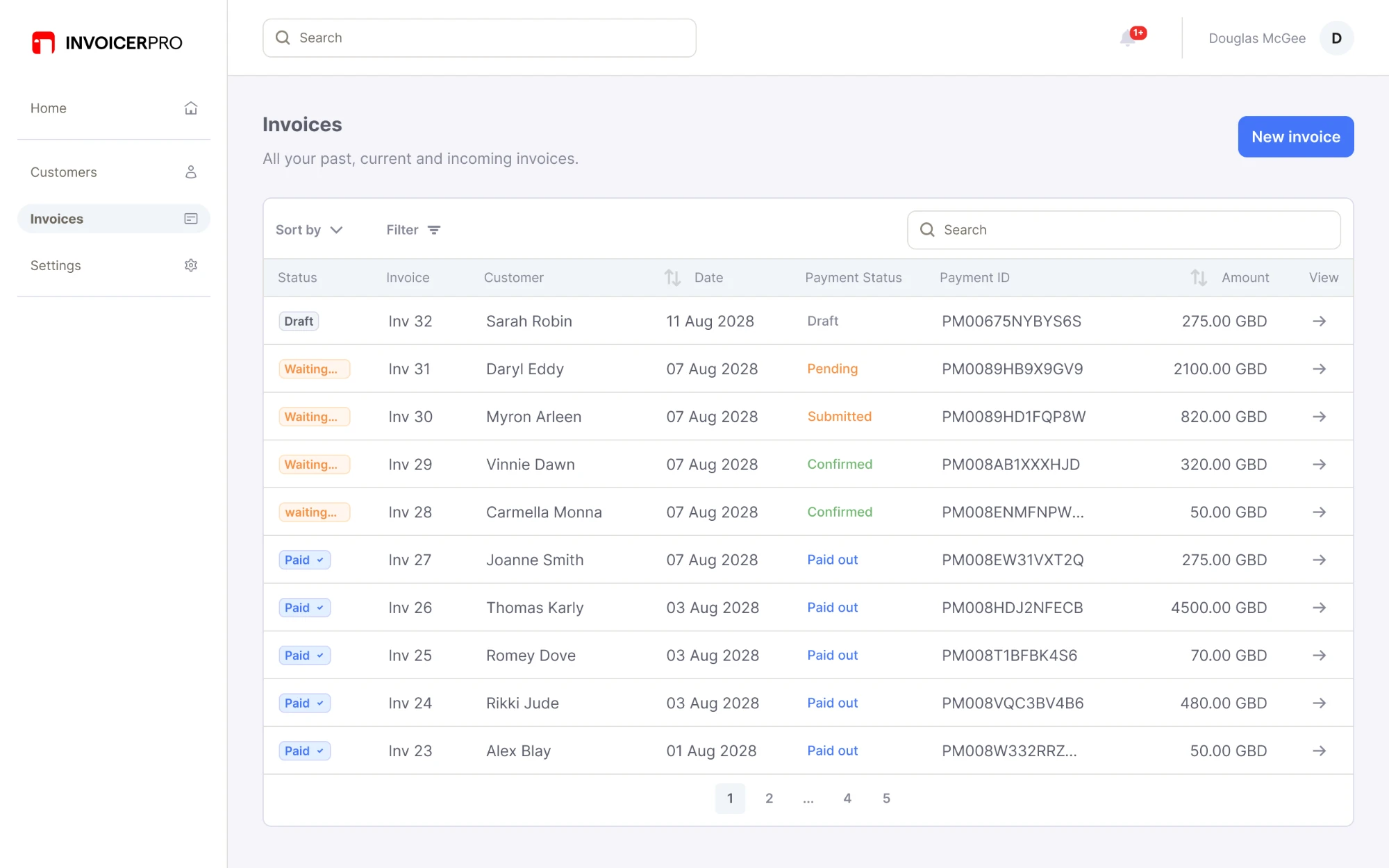
On your transaction page, show the GoCardless payment details. A payment's lifecycle is different from a transaction's, so your users need to see where the payment is and act on problems.
What to include
- The payment status
- A way to cancel a payment before it's submitted
- A way to manually retry a failed payment
- A way to refund a payment that's been paid out
Also consider
- A way to pick a new collection date when retrying a failed payment
Transaction list
Transaction page
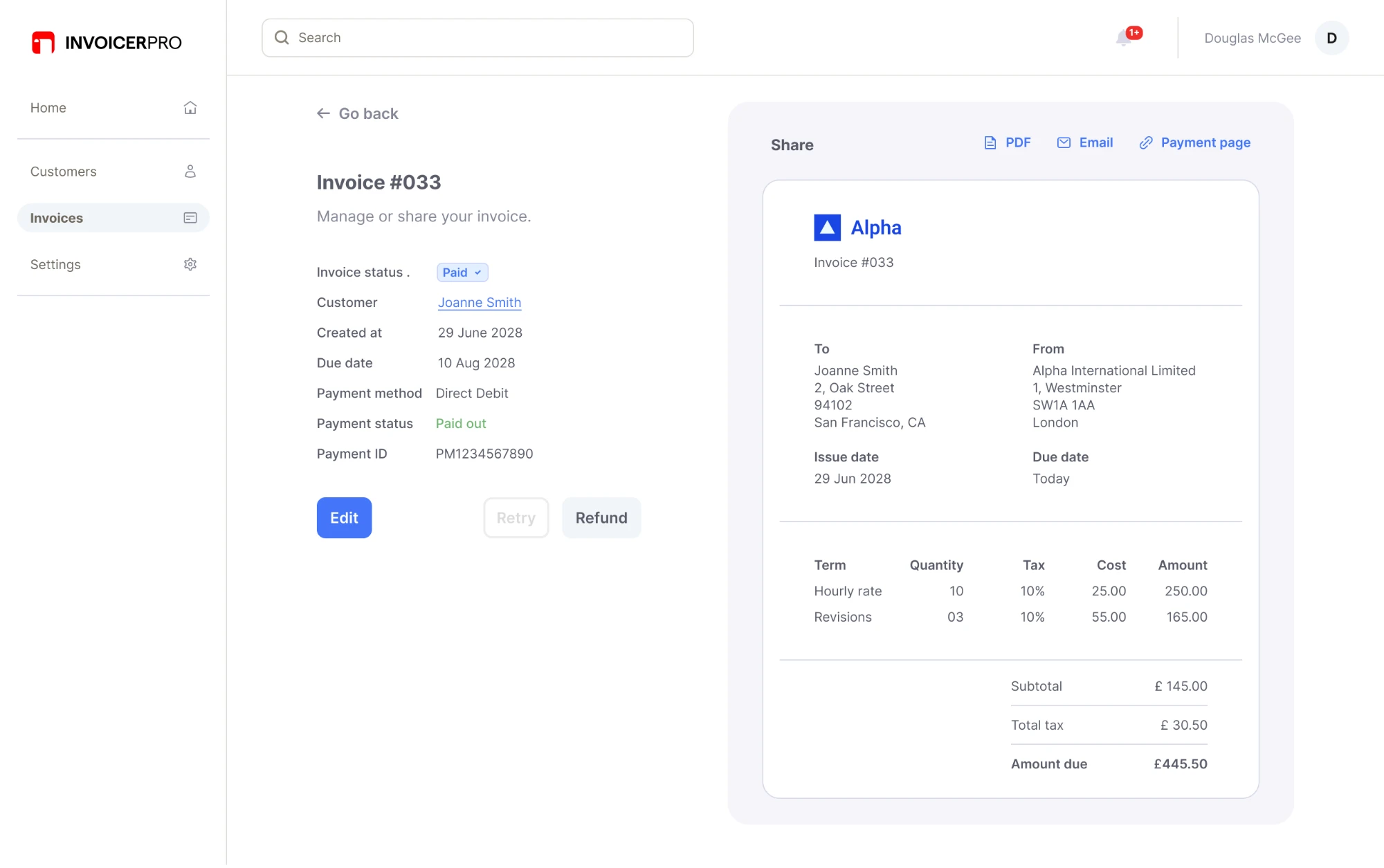
How to build it: see collecting payments and when payments go wrong.