
Payment creation#
A mandate is a payer's permission for your user to collect Direct Debit payments from their bank account. Once it's set up, your user collects payments without the payer approving each one, and reuses the mandate across transactions.
Request a Direct Debit mandate#
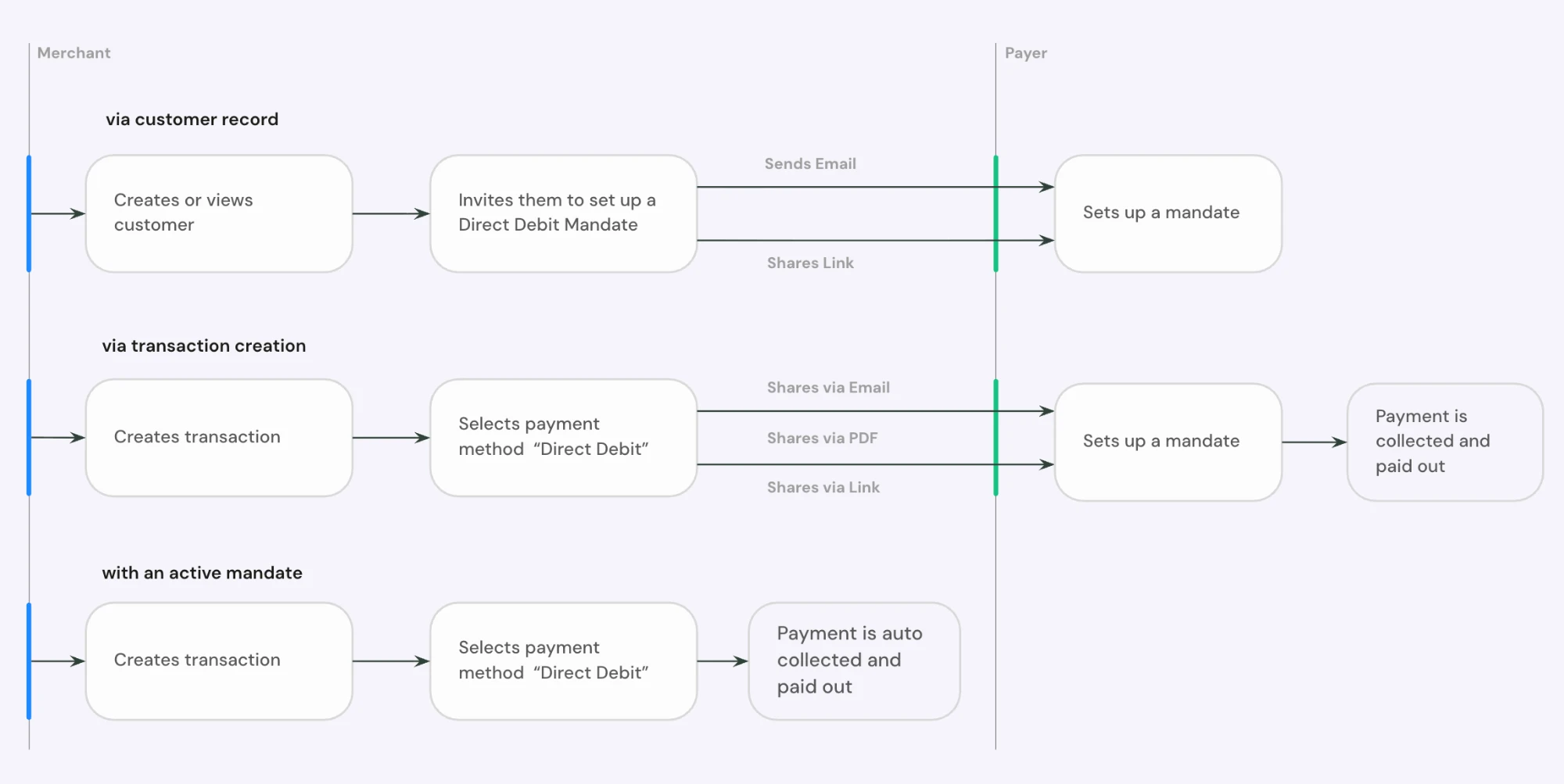
Your users should be able to request mandates in three different occasions.
From a customer record#
Many of your users prefer to set up a mandate before they request any payments. This matters for businesses that agree a contract before taking payments, like dentists, building contractors and gyms.
What to include
- A button to request a mandate from a customer record
Also consider
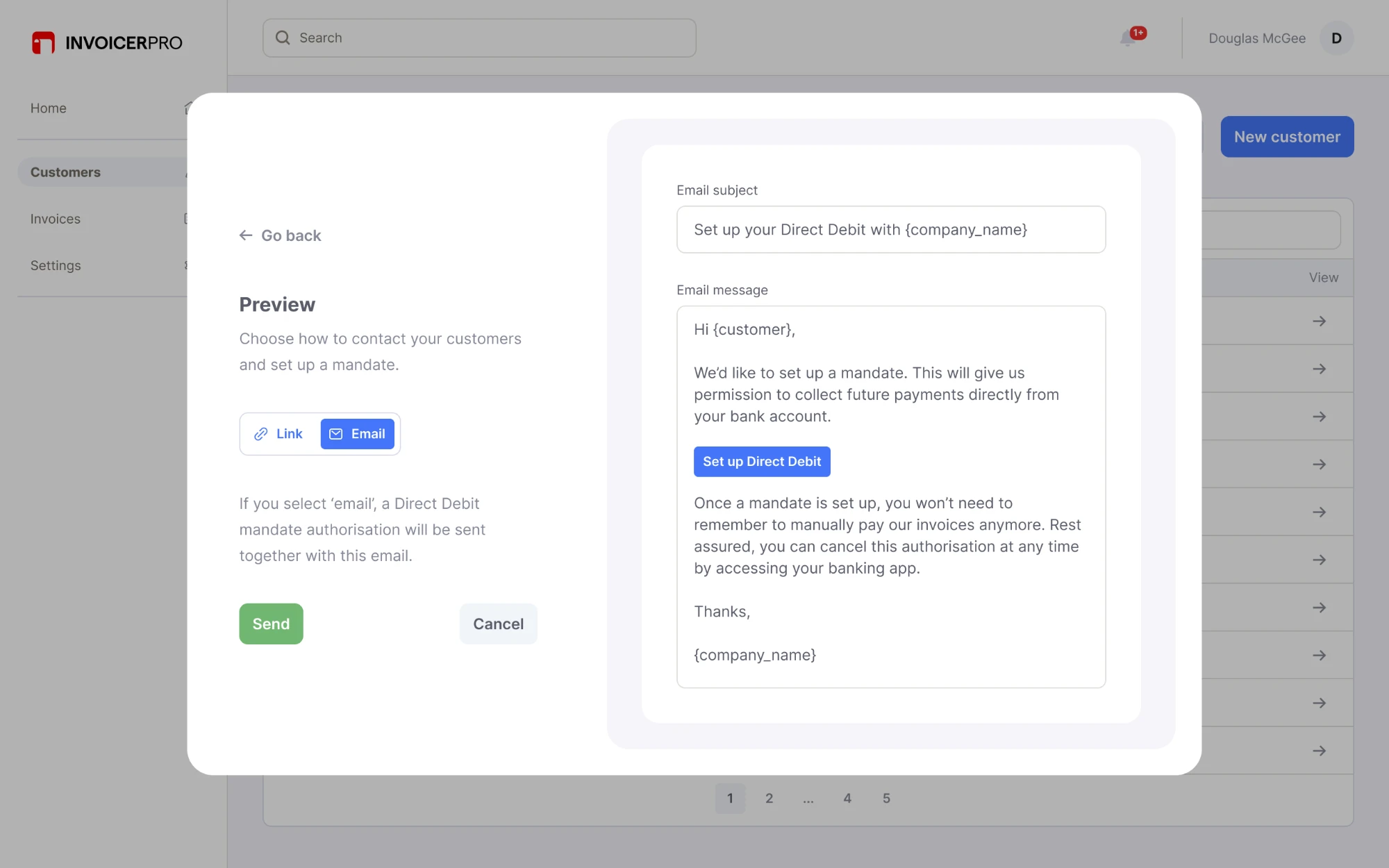
- A preview of the mandate request email, with editable copy
- Letting your user match this customer to an imported mandate
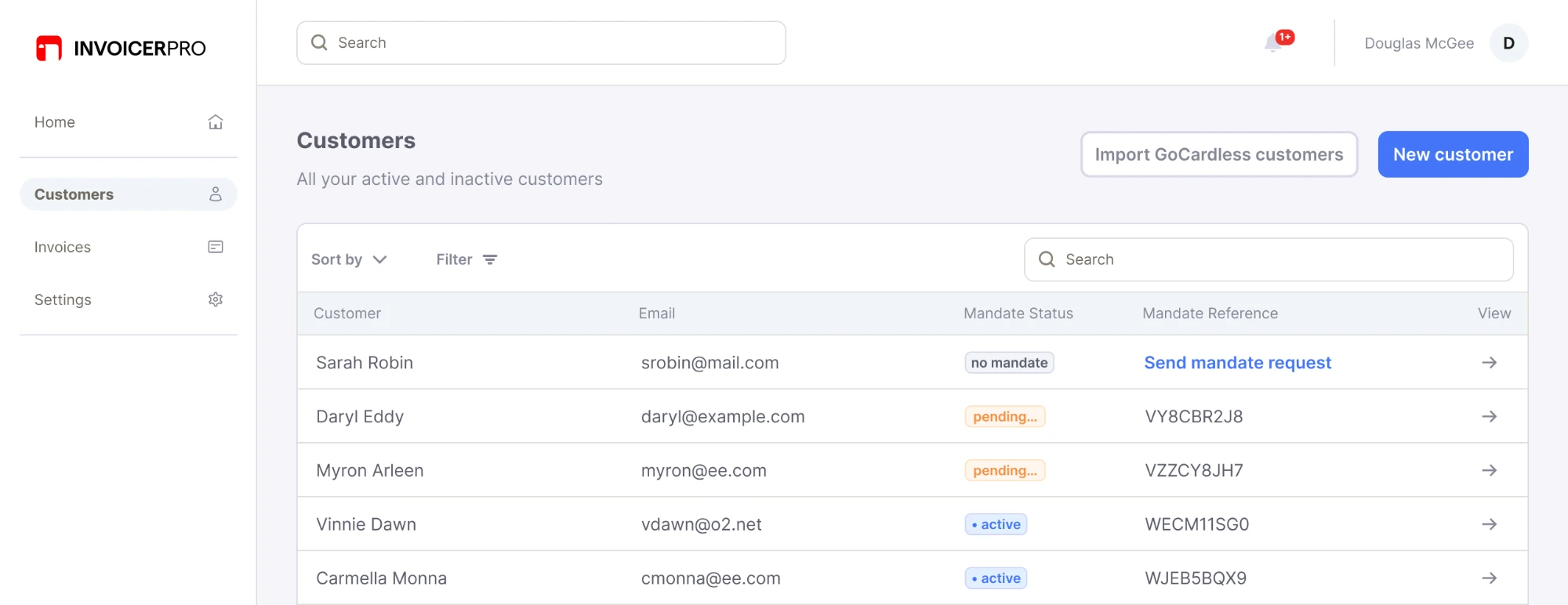
A customer list can show each mandate's status, with a request button for customers who don't have one:
The email preview lets your user check and edit what payers receive:
How to build it: see setting up mandates.
On a transaction#
Some users only think to request a mandate when they're ready to take a payment. Let them do it at the same time they request a transaction. Once the payer sets up the mandate, your system can create the payment straight away, and GoCardless collects it on the earliest possible date.
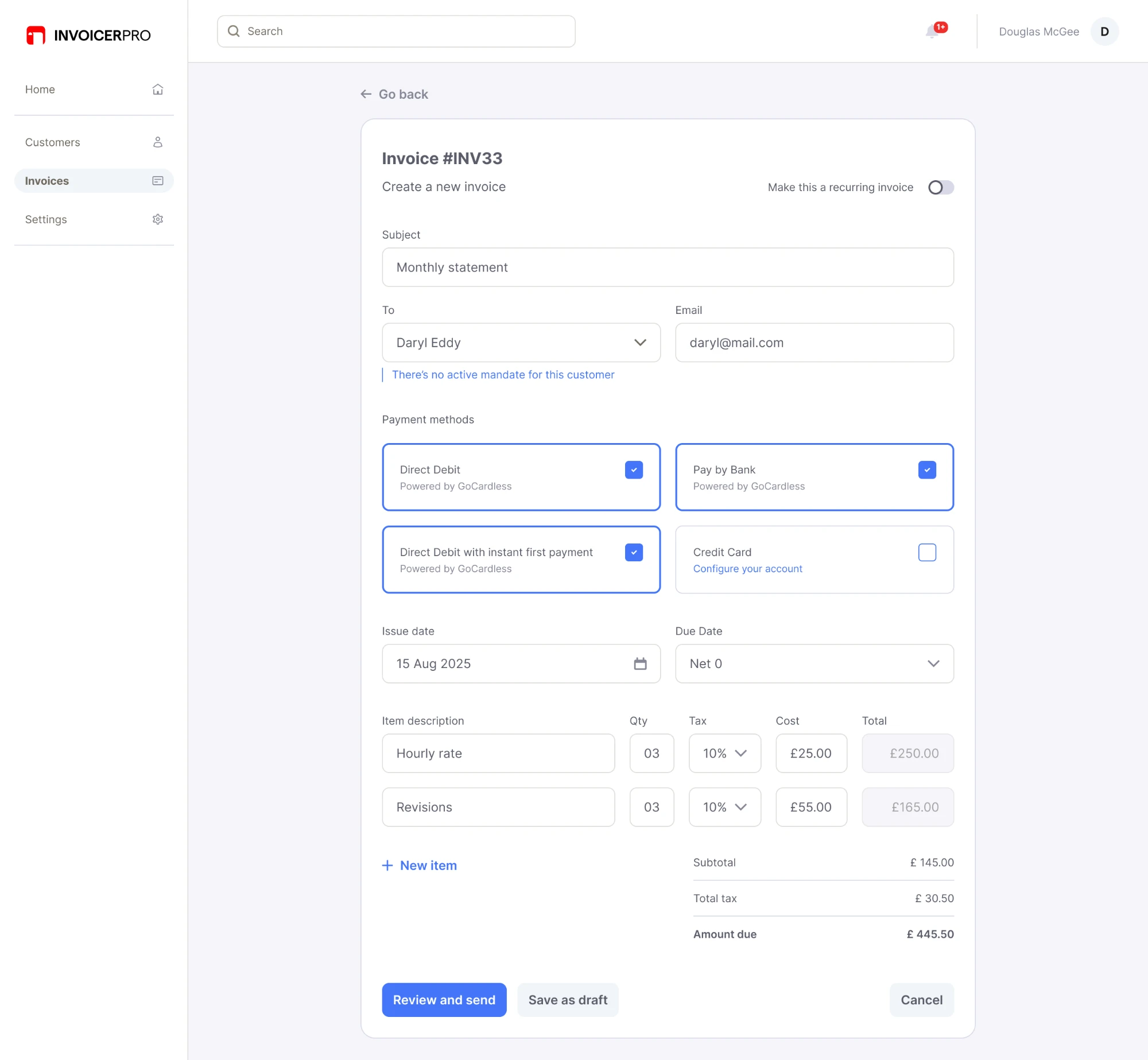
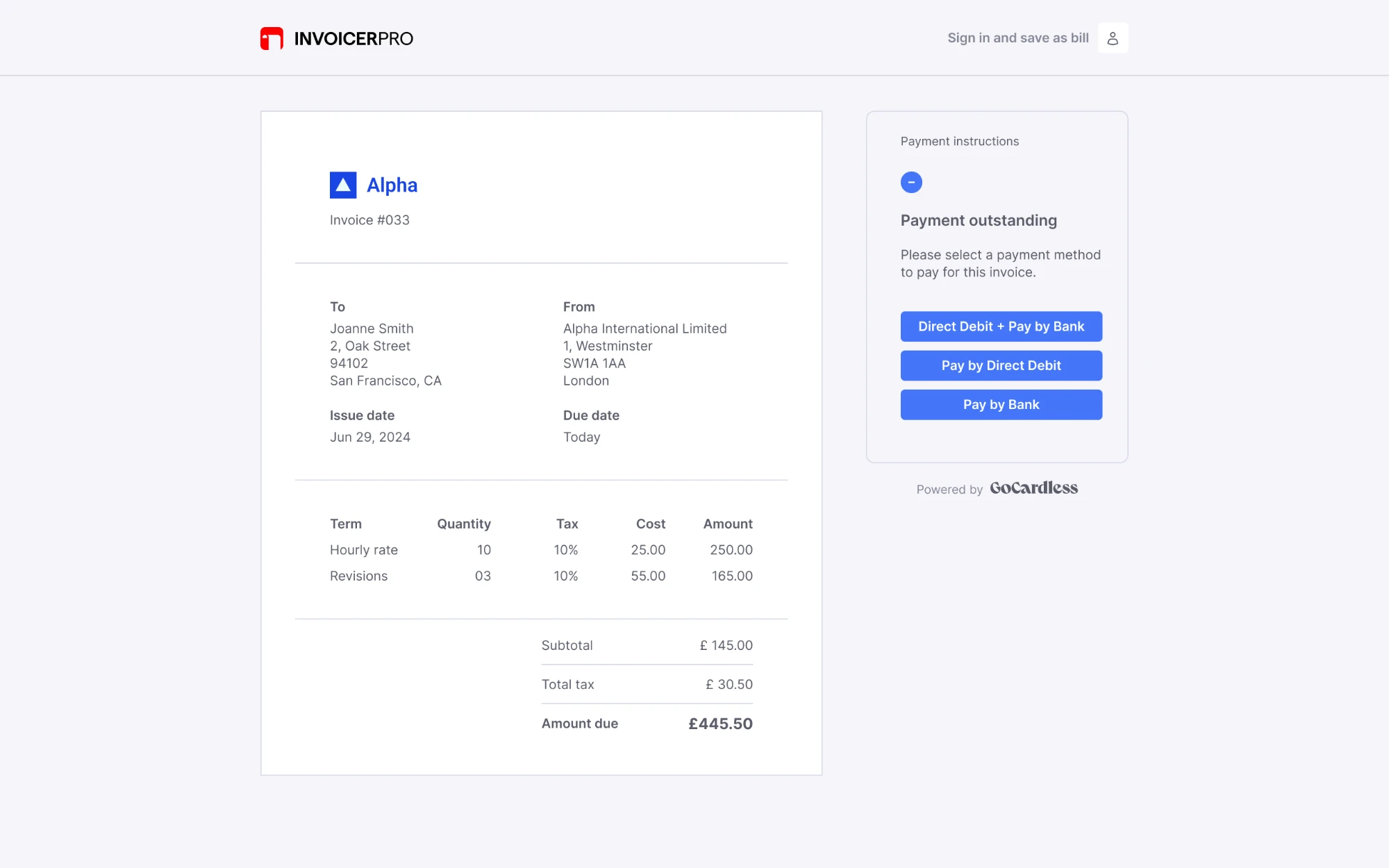
Let your user collect by:
- Direct Debit
- Pay by Bank
- Pay by Bank + future Direct Debit
For how to talk about each one, see describing each payment method.
What to include
- A way to request a mandate from a transaction
- A "Pay with Direct Debit" or "Pay by Bank" button on what your user sends payers, like transaction emails, PDFs or online pages
- The payer's details, prefilled on the payment page, so they're more likely to finish
Choosing payment methods
Pay buttons
How to build it: see collecting payments and instant first payment with a mandate.
With a shareable link#
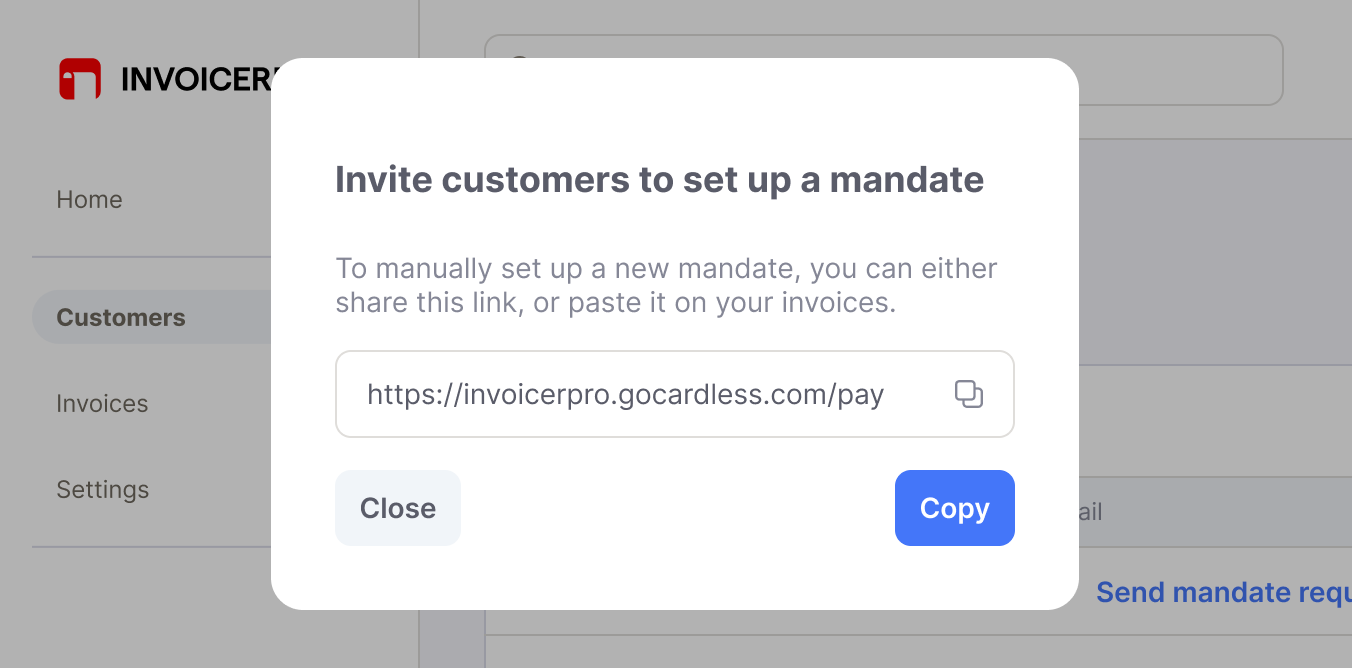
You can let your users send a mandate setup link that isn't attached to any customer. This helps when your user wants to add a generic link to their emails or invoices.
Keep in mind that your user will later need to go to your import flow to match each mandate to a customer record.
How to build it: see setting up mandates.
Payment pages#
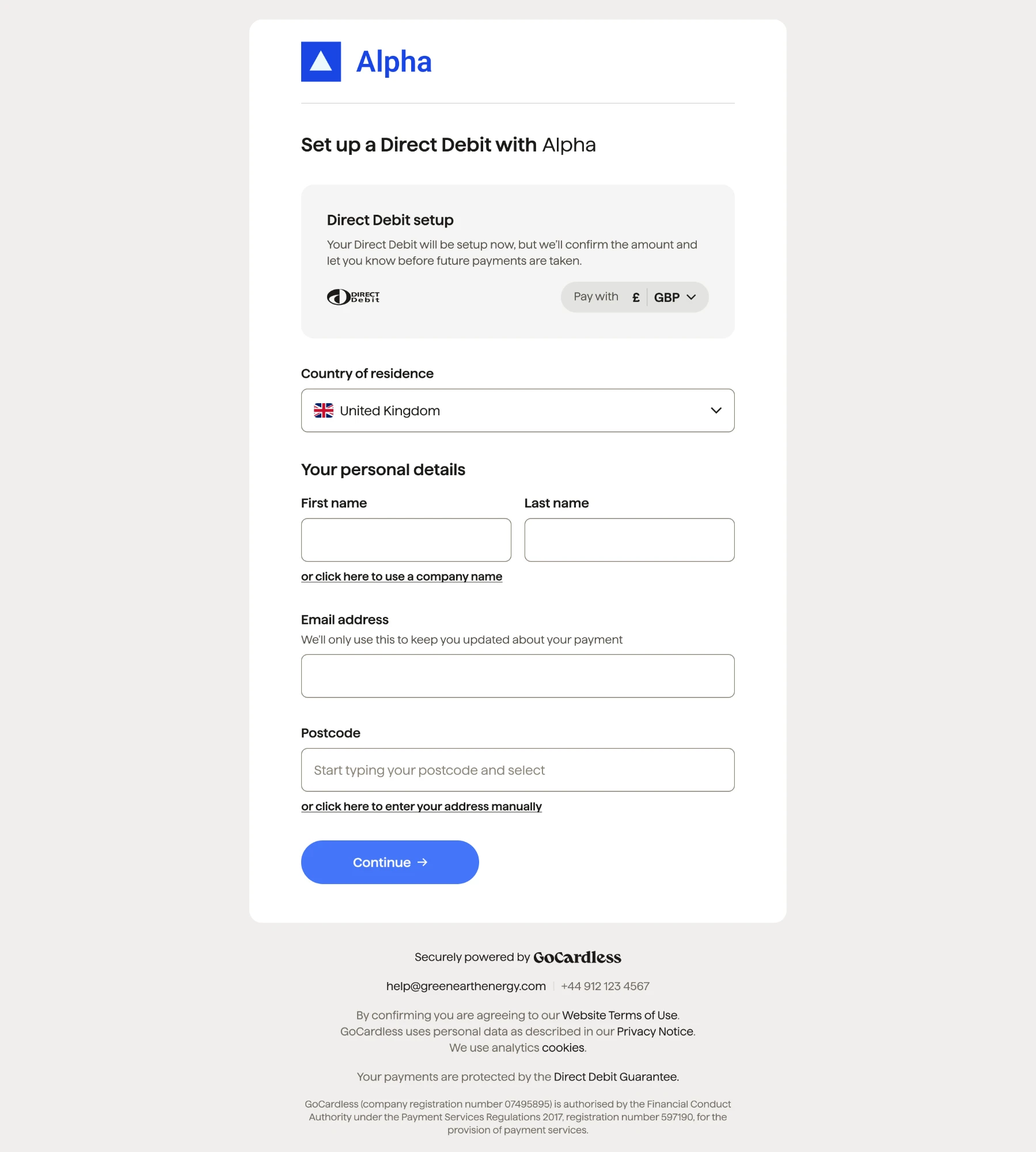
Payers set up a mandate or pay on a payment page.
- GoCardless hosted pages are the quickest to integrate, but offer less room for your branding
- Custom pages and Components need a GoCardless compliance review before you go live
A GoCardless hosted page shows your user's branding and asks the payer for their details:
To see the Pay by Bank flow your payers go through, try the Pay by Bank demo.
Collect from an active mandate#
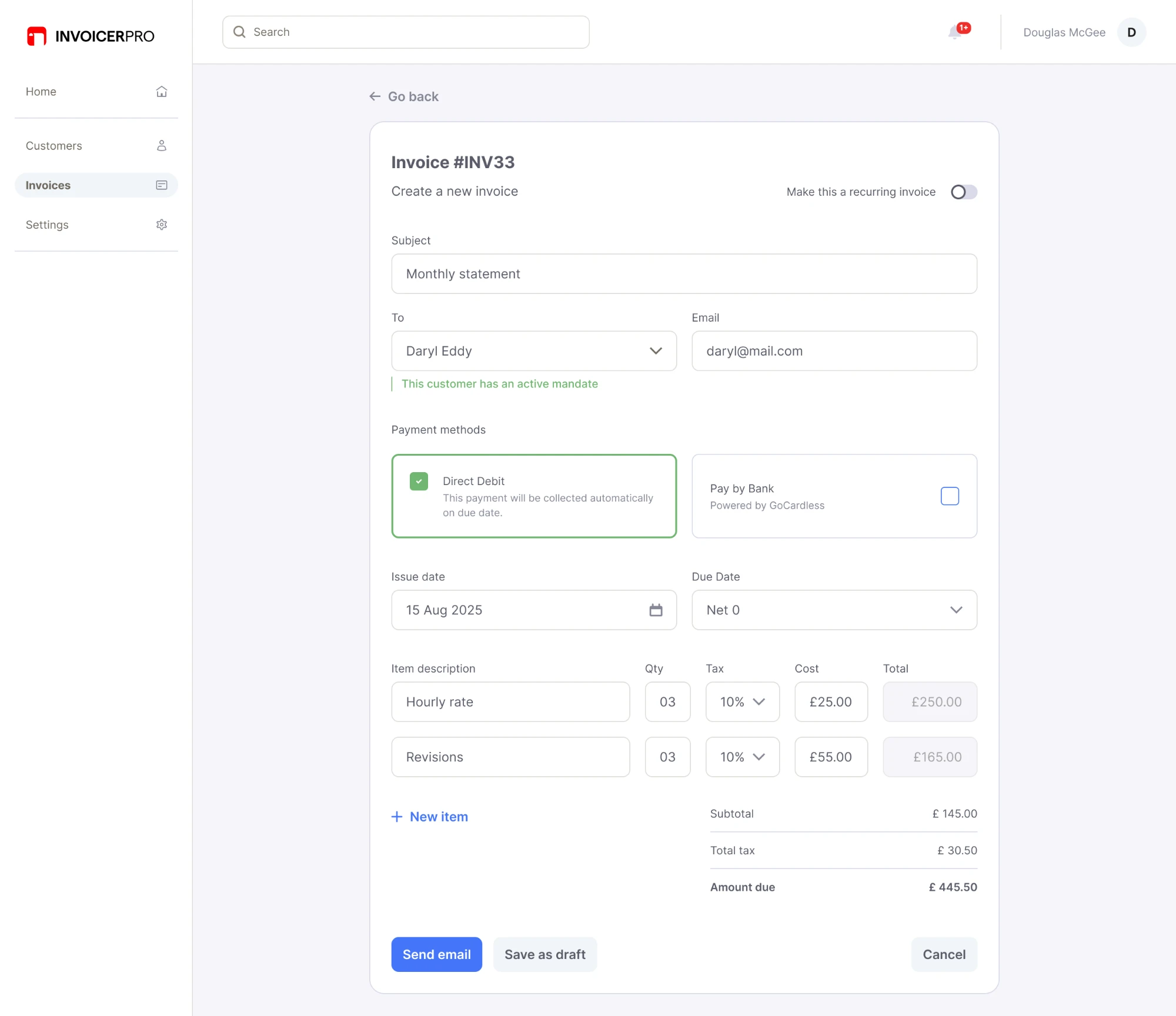
Once a payer has a mandate, your user can collect payments from them automatically.
For time-sensitive transactions, your user can still choose Pay by Bank to get paid out faster.
How to build it: see collecting payments.