
How Partner Integrations Work#
A partner integration lets your users collect bank payments without leaving your product. Your users start payments in your platform. We move the money, verify your users and handle payment regulation.
- Onboarding: Your users connect or create a GoCardless account through OAuth, and we verify their business.
- Payments: Enable users to collect one-off or recurring payments by Direct Debit or Pay by Bank.
- Checkout: Use GoCardless-hosted pages, embedded components or your own pages.
- Payouts: We pay users directly, so you don't need to worry about security or compliance.
- Notifications: Your users and their customers receive all necessary communication about their payments via email.
- Revenue share: Earn a share of GoCardless fees on payments made through your integration.
How it fits together#
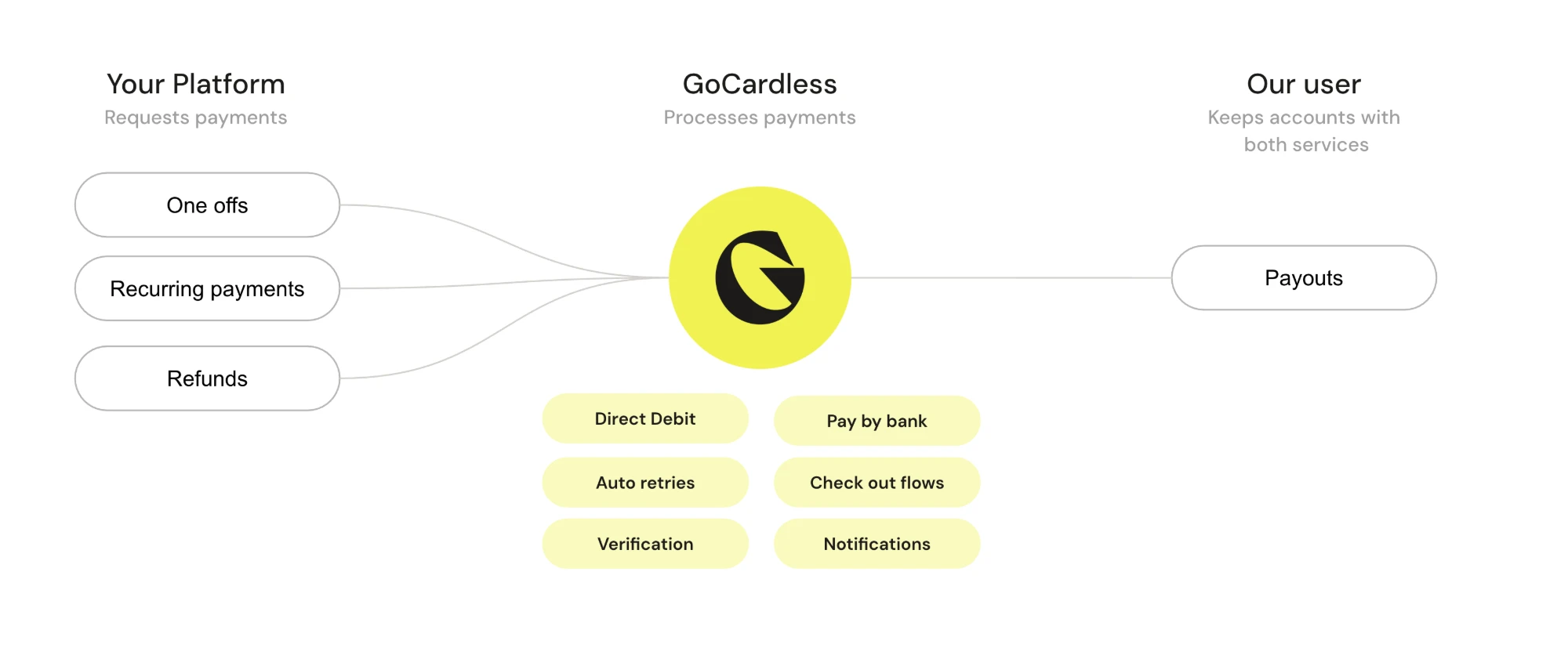
To get started, you create a partner app in the GoCardless dashboard, build your integration in the sandbox, and go live.
Once you're live, your users connect their GoCardless account to your platform through OAuth. That gives you an access token for each user, which you use to make API requests on their behalf.
When a user's account is verified, they can ask their customers to set up a mandate. Your platform then creates payments against that mandate, and we collect them on the due date.
We pay the money out to your user's bank account, and tell you about every change through webhooks.
Use cases#
You can integrate GoCardless into your platform in two ways:
- Native integrations: GoCardless is built into your product, so your users collect payments as part of their existing workflows. For example, invoicing software that creates mandates and payments and shows their statuses next to each invoice.
- Middleware integrations: You build an app for another platform's marketplace that enables GoCardless payments. Your users interact with your app's own interface as well as the platform's and GoCardless's.
Payment methods and features#
Your users can collect payments with:
- Direct Debit: UK (Bacs), Eurozone (SEPA Core), US (ACH), Canada (PAD), Australia (BECS), New Zealand (BECS NZ), Sweden (Autogiro) and Denmark (Betalingsservice).
- Pay by Bank: UK (Faster Payments) and Eurozone (SEPA Instant).
- PayTo: Australia.
For the countries in each scheme, see schemes.
They can also use:
- FX: Collect in currencies they don't have a bank account for, and get paid out in their own currency.
- Success+: Retry failed payments when they're most likely to succeed.
- Protect+: Ask risky payers to verify their bank account before paying.
- Outbound payments: Send money to their chosen recipients. UK only.
How your records map to GoCardless#
| Your platform | GoCardless | Notes |
|---|---|---|
| Business or entity | Merchant account | One GoCardless account per entity. Nested organisations aren't supported. |
| Customer or membership | Mandate | We recommend one mandate per customer. |
| Invoice or transaction | Payment | Usually one-to-one. Instalments split one invoice into several payments. |
| Reconciliation | Payout | One payout groups many payments, minus fees and deductions. |
Your integration will have to create a match record for each of these concepts, and keep their statuses up to date.
Why this is important:
- States evolve independently in GoCardless and your platform. For example, an "active" customer can have a "pending" GoCardless mandate.
- Records keep changing after they're created. For example, "paid" payments can be "charged back".